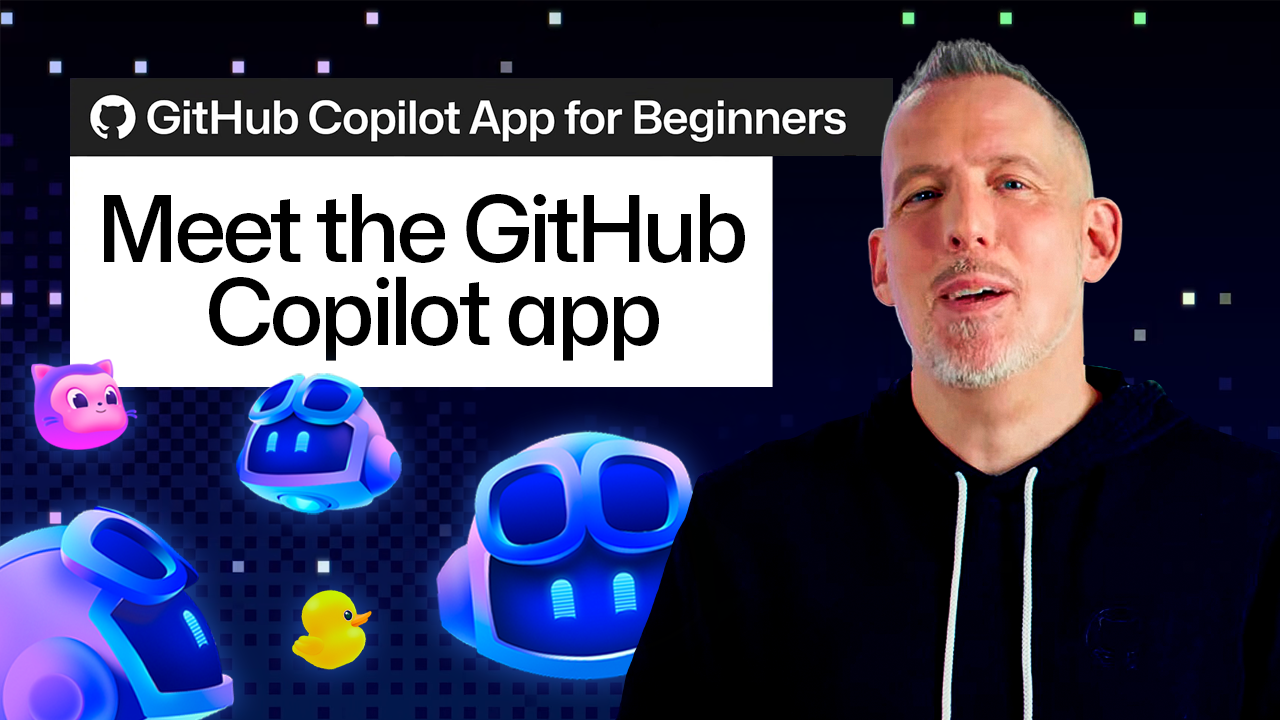
GitHub Copilot app for Beginners: Getting started
Quick Answer
The GitHub Copilot app enhances software development by allowing users to manage multiple AI agent sessions within a project context, facilitating task switching and interactive UI changes.
Quick Take
It features Quick Chat for inquiries, a browser canvas for visual feedback, and Agent Merge for streamlined pull request management, making it ideal for developers looking to optimize their workflow.
Key Points
- Manage multiple agent sessions without losing workflow momentum.
- Create a browser canvas for real-time UI previews and adjustments.
- Utilize Quick Chat for separate inquiries while working on tasks.
- Agent Merge assists with pull requests and review processes.
- Start projects easily by selecting from previous or new repositories.
DeepSignal Analysis
What happened
The GitHub Copilot app is designed to enhance software development workflows by allowing users to manage multiple AI agent sessions within project contexts. It features tools like Quick Chat for inquiries, a browser canvas for visual feedback, and Agent Merge for managing pull requests, all aimed at improving task efficiency.
Key evidence
- The app connects agent sessions to specific projects, providing necessary repository context for tasks, which helps streamline the development process.
- Users can create multiple sessions for different tasks without interrupting ongoing work, allowing for simultaneous exploration of ideas and questions.
- Agent Merge assists in managing pull requests by monitoring them and addressing issues that arise during the review process, thus facilitating smoother code integration.
Why it matters
The GitHub Copilot app's design reflects the complexities of modern software development, where tasks often overlap and require quick context switching. By enabling multiple agent sessions and integrating visual tools, it aims to reduce the friction developers face when managing various aspects of their projects. This could lead to increased productivity and a more streamlined development process, which is crucial in fast-paced environments.
📖 Reader Mode
~5 min readAI coding tools often begin with a chat window. While that works for quick questions or generating code, real software development rarely happens in a straight line. One minute you’re fixing a bug, the next you’re reviewing a pull request, digging into an unfamiliar part of the codebase, or exploring a new idea.
The GitHub Copilot app is designed for that kind of workflow. Instead of treating AI as a single conversation, it gives you a workspace where you can manage multiple agent sessions, switch between tasks without losing momentum, and work with AI agents across the different parts of your workflow.
Your work starts with a project
Agent sessions are connected to a project, giving each session the repository context needed for a specific task.
From the GitHub Copilot app home screen, you can choose a project you’ve worked with before or add a new one from GitHub or your local machine. Once a project is selected, you can start a session with the codebase, files, and tools needed to begin working on a task.
For example, you might want to add a breadcrumb navigation component to an existing application. Instead of manually searching through files to find the right place to make the change, you can describe the update you want to make. The session can examine the project, identify relevant files, make the changes, and run tests to help validate the work.
By starting each session with the project already connected, you can spend more time working and less time preparing your environment.
Keep multiple threads moving
Once you’ve selected a project and started an agent session, you can create additional sessions for other questions, ideas, or tasks without interrupting your existing work. Quick Chat lets you start a new conversation from the Copilot app home screen. Each conversation can focus on a different area of work, giving you a dedicated space to explore ideas, ask questions, or work through changes.
For example, you can open a Quick Chat session to ask Copilot about Copilot, such as how worktrees function in the app, while another agent session continues working on a project update. You can also use Quick Chat to investigate how your codebase works, explore potential approaches, or gather context before deciding how to move forward.
When you return to your original session, you can pick up where you left off, review the changes, and make any updates needed to move the task forward.
Multiple sessions let you follow different threads of work without losing track of where each task stands.
Make your work interactive with canvas
When working on a UI change, seeing the result can be just as important as reviewing the code behind it. The GitHub Copilot app lets you open a browser canvas directly within your workflow, giving you a way to preview your application and make changes based on what you see.
A canvas is a shared, interactive space built around work artifacts, such as a plan, a kanban board, a checklist, or a running application. It provides a visual representation of your work alongside your conversation, so you can move beyond a text-based view of the task.
Rather than opening a new terminal and launching a separate browser, you can create a browser canvas in the GitHub Copilot app using the /create-canvas slash command.
For example, after asking Copilot to update a UI component, you can create a canvas with: /create-canvas Open this app in a browser canvas
This opens your application in a canvas where you can preview the result. If something needs adjusting, you can Enable Canvas Dev Mode and use Pick & Polish to select elements directly in the canvas and use them as context for your next request. You can point to a specific part of the page, request an update, and continue refining the result.
Keep work moving with Agent Merge
Once your changes are ready, the next step is creating a pull request and moving through the standard CI and review process. Agent Merge helps extend that workflow beyond the initial code change by monitoring the pull request and assisting with tasks that come up during review.
To start an Agent Merge workflow, open the pull request options in the Copilot app and select Agent Merge. From there, you can choose which actions Agent Merge can take, such as addressing review feedback, helping resolve CI failures, or handling merge conflicts.
After Agent Merge is enabled, it monitors the pull request as it moves through the review and CI process. If issues come up, it can help address requested changes and prepare the pull request for merge. Once the required checks have passed, you can choose to merge the pull request.
Start exploring the Copilot app
The Copilot app brings together the different parts of your development workflow in one place. Start with a project. From there, you can create separate sessions for different threads of work, create a canvas to visualize and refine your work, and keep changes moving through the pull request process with Agent Merge.
There’s more to explore, including additional ways to customize and extend your workflow. The best way to learn the GitHub Copilot app is to try it yourself.
Have a task that’s been sitting in your backlog? Try it with the GitHub Copilot app and see how you can explore, build, and ship with AI agents.
Written by

Senior Developer Advocate, GitHub
Explore more from GitHub


GitHub
Build what’s next on GitHub, the place for anyone from anywhere to build anything.


GitHub Universe 2026
Join us October 28-29 in San Francisco or online for GitHub Universe, our flagship developer event uniting people, agents, and the world’s code.
— Originally published at github.blog
Want this in your inbox every morning?
Daily brief at your local 8am — bilingual EN/中文, free.
More from GitHub AI & ML
See more →
Evaluating performance and efficiency of the GitHub Copilot agentic harness across models and tasks
The GitHub Copilot agentic harness demonstrates superior performance across various benchmarks, achieving leading token efficiency while offering flexibility with over 20 model options. This versatility allows developers to select the most suitable model for their tasks, enhancing productivity and effectiveness in coding.