AI Gateway logs now have a dedicated page
Quick Answer
Vercel AI's AI Gateway now features a dedicated Logs page that displays all requests with detailed metrics such as cost, token counts, and routing information.
Quick Take
Users can filter and search requests by various parameters, export data as CSV or JSON, and drill down into request details, including fallback paths and provider attempts.
Key Points
- Logs page lists requests with cost, token counts, duration, and provider details.
- Users can filter by provider, model, and request ID for easier navigation.
- Current views can be exported as CSV or JSON with applied filters.
- Detailed request views show token breakdown and fallback paths for troubleshooting.
- Charts visualize request counts over selected time ranges for better insights.
📖 Reader Mode
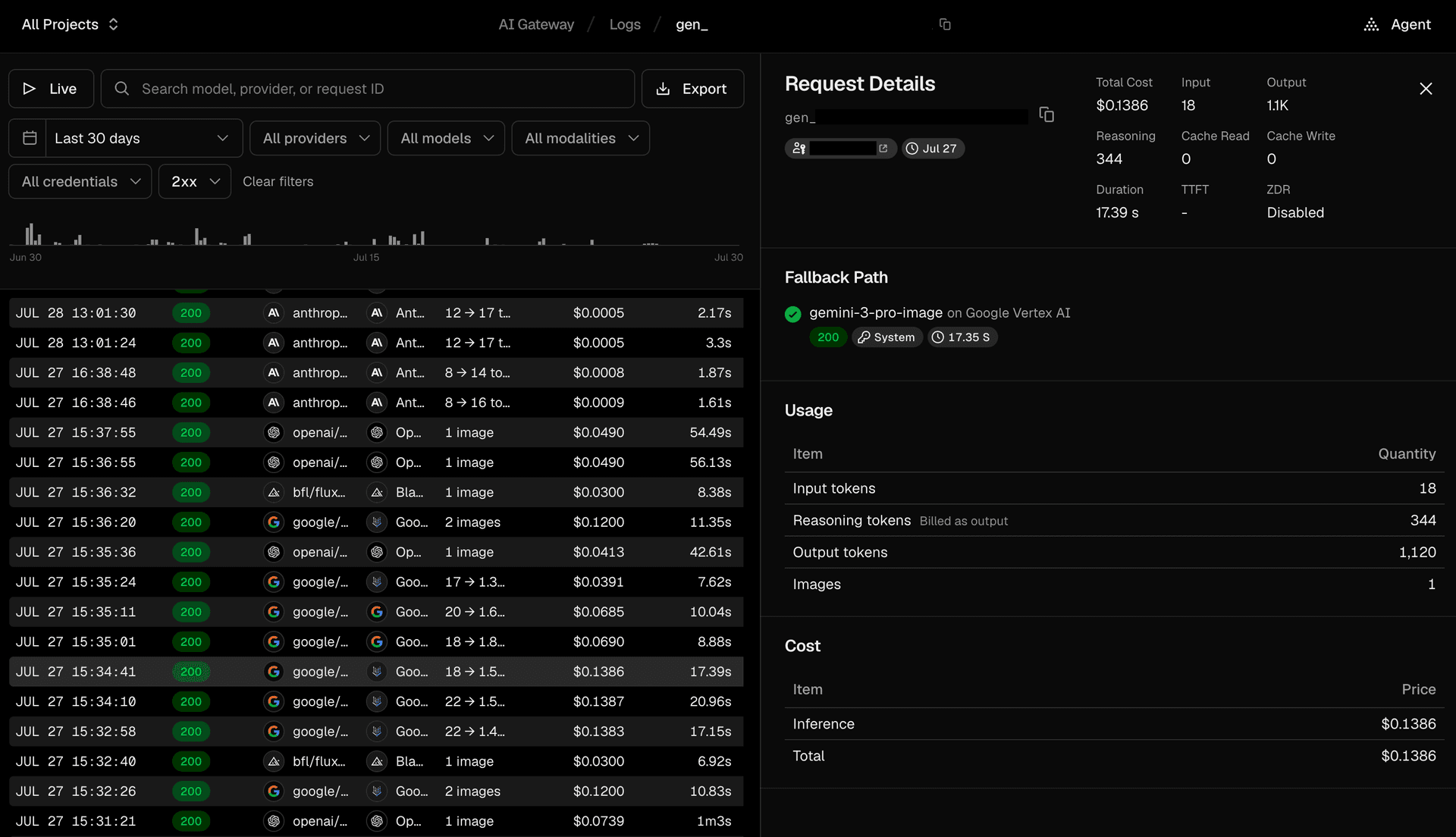
~2 min readAI Gateway now has a dedicated Logs page listing every request your team sends through the gateway, newest first, with cost, token counts, duration, and the model, provider, and region that served it. Open any request to see how it was routed. It's available at the team scope and per project.
Copy link to headingFilter and search
Filter by provider, model, modality, credentials, or status, or search by model, provider, or request ID to jump straight to one request. Every filter is stored in the URL, so you can share a filtered view by copying the address. A chart above the table shows request counts over the selected range, and you can drag across it to zoom into a narrower window.
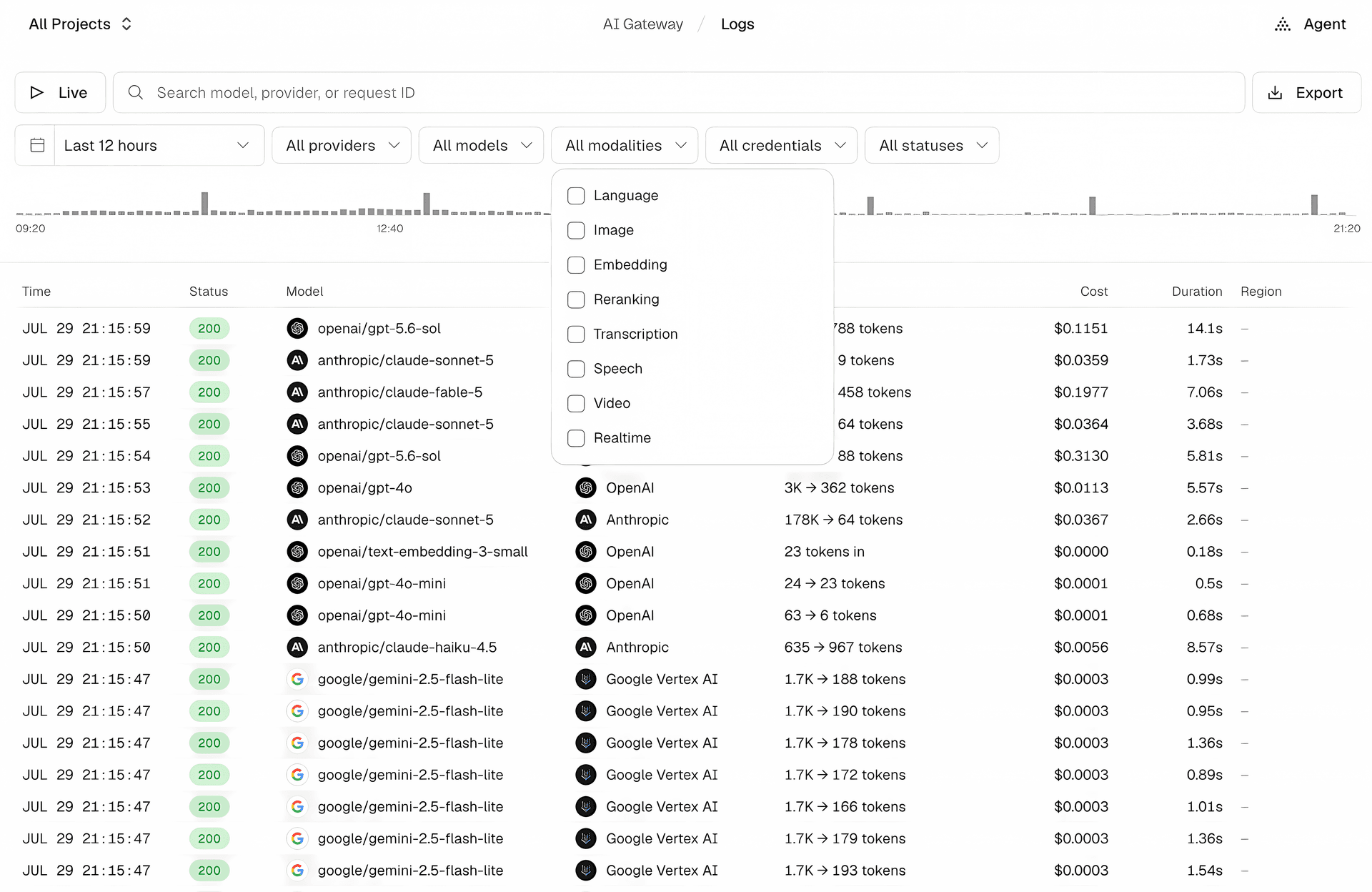
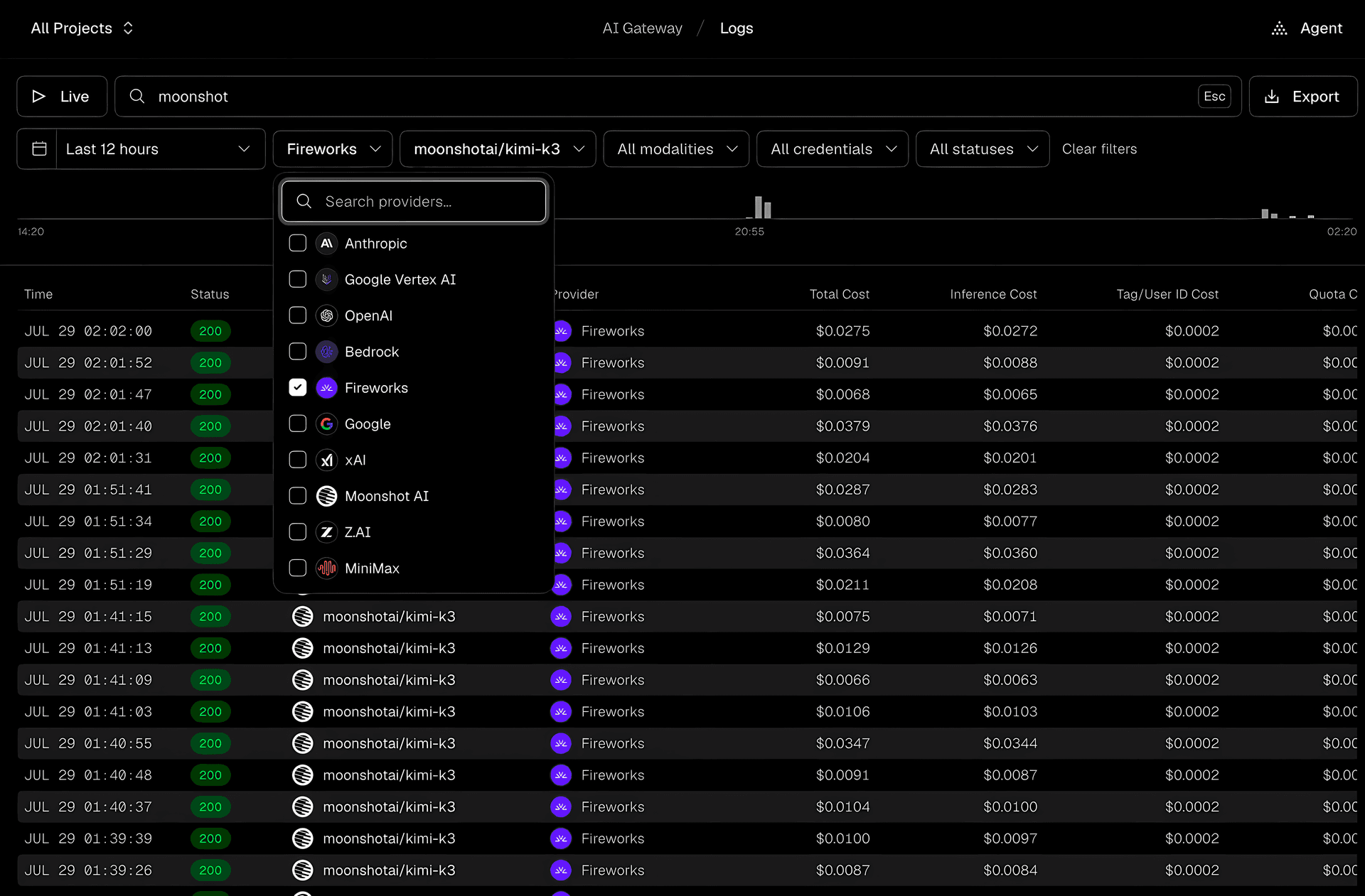
You can also export the current view as CSV or JSON, with your filters applied.
Copy link to headingDrill into a request
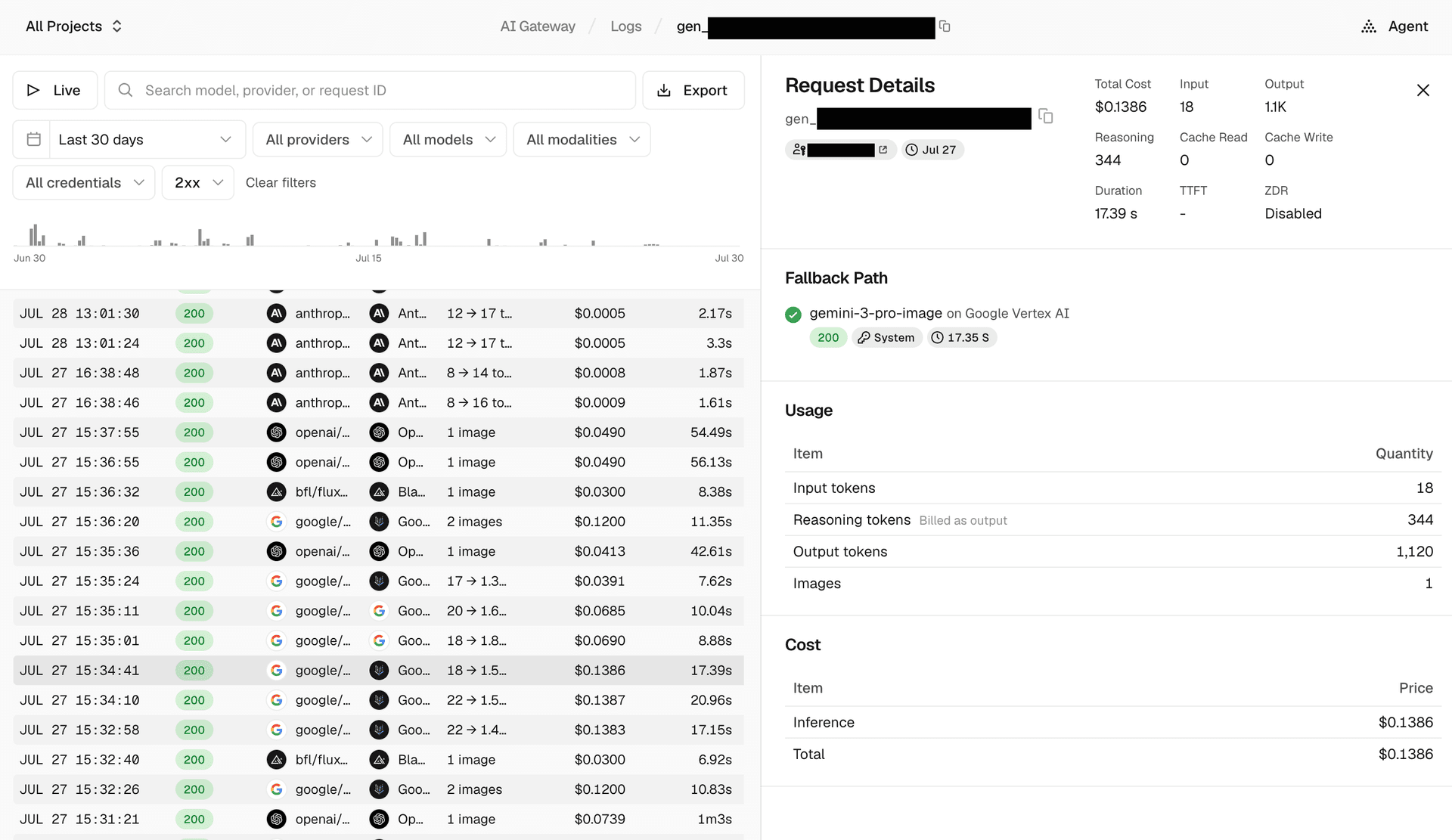
Click any row to open its details next to the list: total cost, a token breakdown across input, output, reasoning, and cache reads and writes, duration, time to first token, and whether Zero Data Retention and region restrictions were applied.
The fallback path lists every provider attempt for the request in order. Each attempt shows the model, provider, status code, credentials, and how long it took, and failed attempts include the reason, such as a provider timeout or an exhausted routing budget.
To learn more about AI Gateway logs, read the documentation.
— Originally published at vercel.com
Want this in your inbox every morning?
Daily brief at your local 8am — bilingual EN/中文, free.
More from Vercel AI
See more →
The Agent Stack
The Agent Stack by Vercel AI provides essential building blocks for creating production-grade agents, enabling seamless integration across multiple AI models and secure operations. It features components like AI Gateway for model routing, Workflow SDK for durable execution, and Vercel Connect for scoped access, streamlining agent development and deployment across various platforms.