HyperX has long dominated our list of best gaming microphones with its impressive QuadCast (and DuoCast, and SoloCast) lineup of standalone USB mics. But those are just USB mics — convenient to use, easy to set up, and pretty impressive considering the limitations. But a truly professional setup uses XLR, which gives you a more balanced signal (especially over long cables), better audio quality, and is much better for certain types of tasks, such as recording multiple people in one room (e.g. for a podcast).
But XLR setups aren't exactly convenient: an XLR signal needs to go through an audio interface to convert its signal to a digital one, meaning you can't just plug it into your computer. And audio interfaces are complicated (and, often, expensive), and sometimes you just want to plug your mic into an open USB port and start talking.
Design of the FlipCast
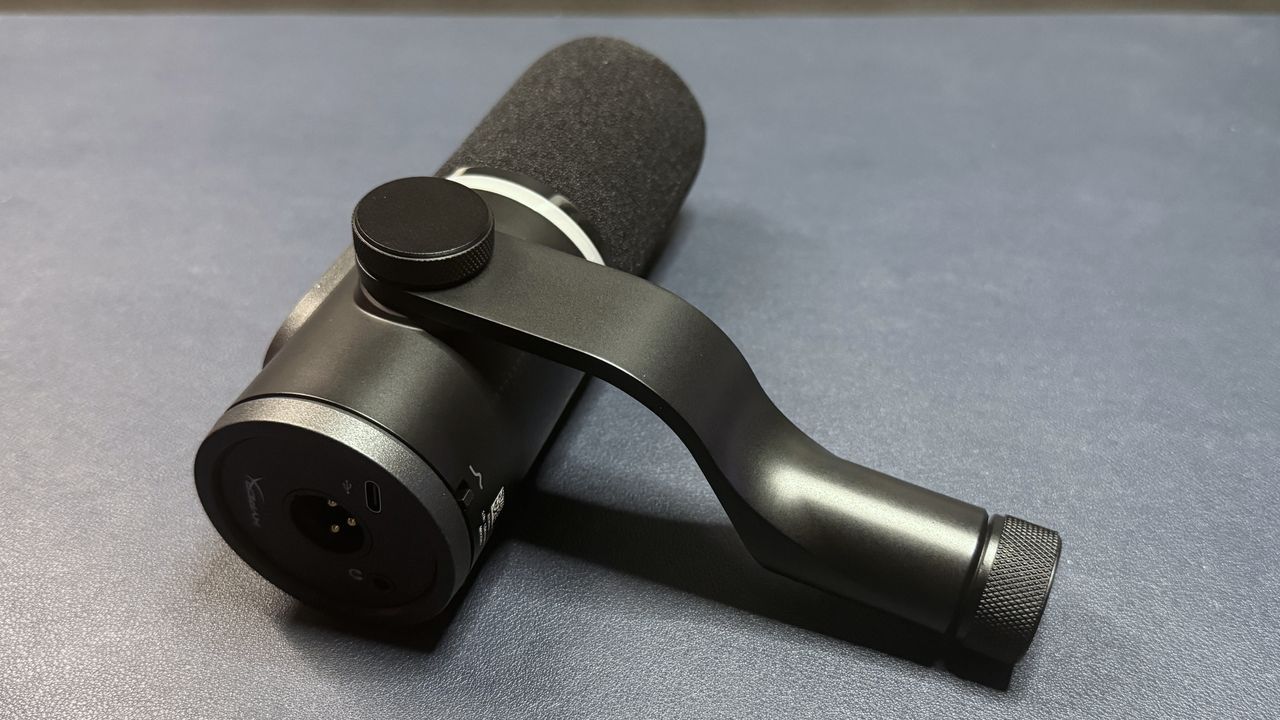
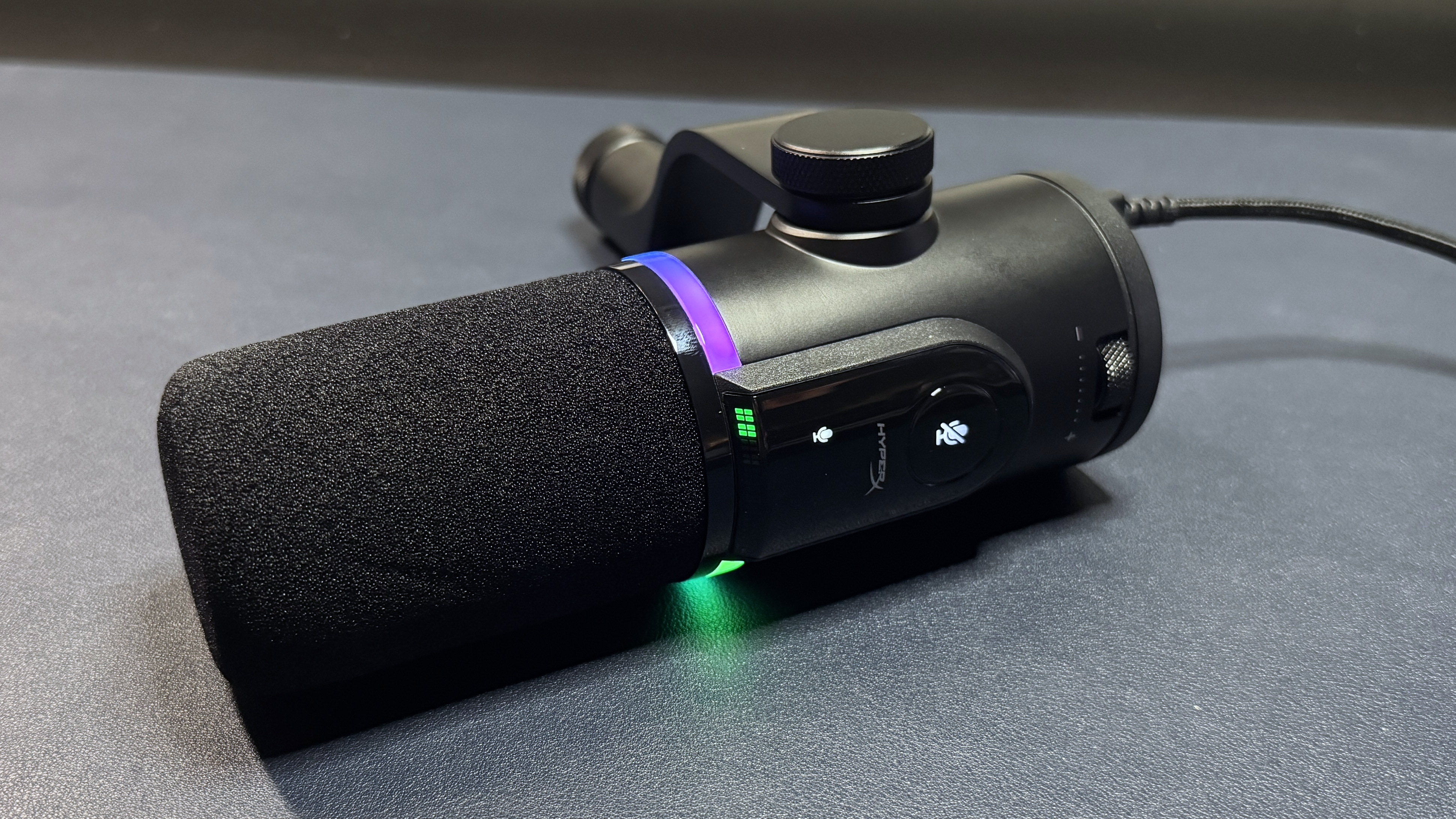
The FlipCast looks like most end-address mics: it's a black cylinder measuring approximately 6.75 inches (171.45mm) long by 2.25 inches (57.15mm) wide, bisected by a bright, customizable RGB lightstrip. It has a metal chassis with a matte black finish, and built-in wind foam that covers the actual microphone. It sports HyperX's HX logo on one side (in silver), and attaches to a sturdy metal swing arm on the other side.
Image
1
of
5
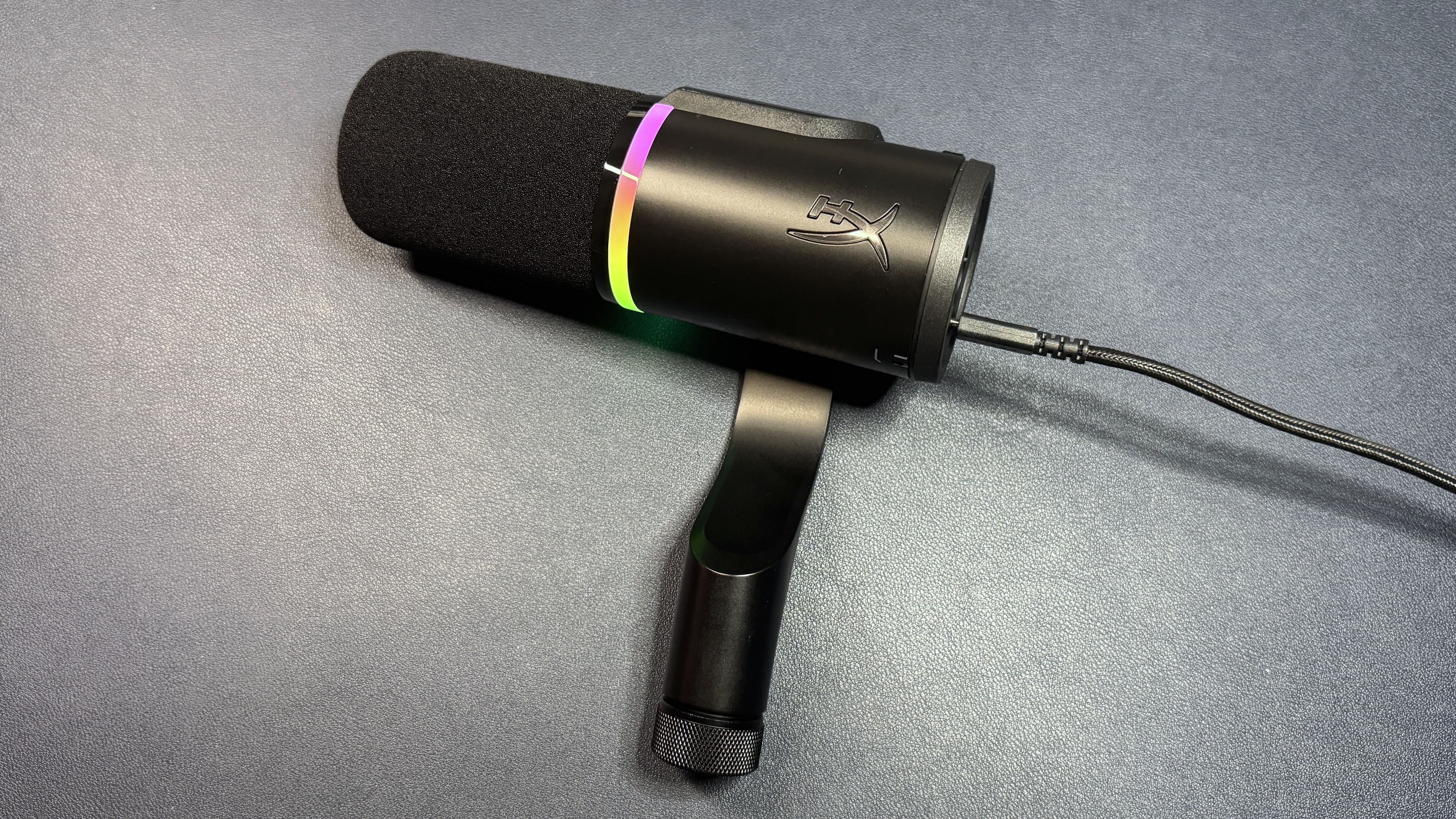
The FlipCast comes mounted on its own swing arm, which has a threaded attachment point for mounting on a boom arm or microphone stand. It doesn't come with a desktop stand (or boom arm) in the box, so you'll need to make a separate purchase if you don't already have one lying around. This isn't particularly surprising, as similar end-address mics typically do not ship with desktop stands, but since it's at least somewhat aimed at casual PC users with its USB-C connectivity, I would have liked to see some sort of option to get you going out of the box.
The FlipCast feels fairly sturdy — it weighs 1.26 pounds (571.5g), so it's not very heavy for a microphone (the Rode PodMic USB weighs 1.9lbs / 900g), but it seems well-built and the integrated swing mount is also pretty solid.
Image
1
of
3
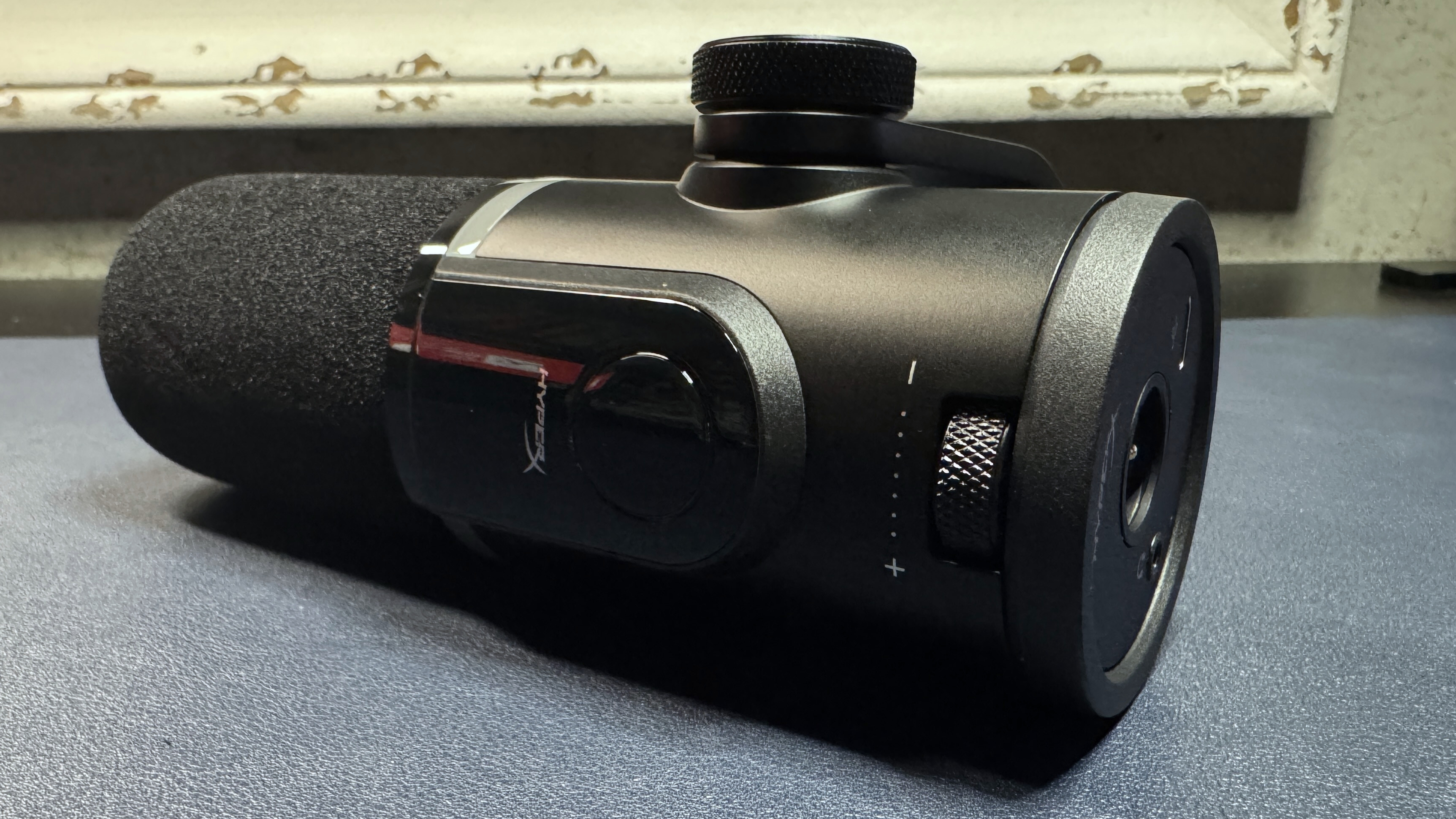
The FlipCast has a few on-mic controls, including a tap-to-mute button and a multi-function wheel for adjusting gain, headphone volume, and monitor mix. The tap-to-mute button sits on a slightly raised platform with an LED level meter that's angled toward you, so you can see it while you're using the mic. The mic has a colorful RGB light ring around its center that turns off when the mic is muted (the mute button and the LED meter also turn red). On the back, underside of the mic, there are also two switches that control onboard audio filters — a 150 Hz high-pass filter (for reducing low-frequency background noise), and a presence boost (for adding clarity to vocals).
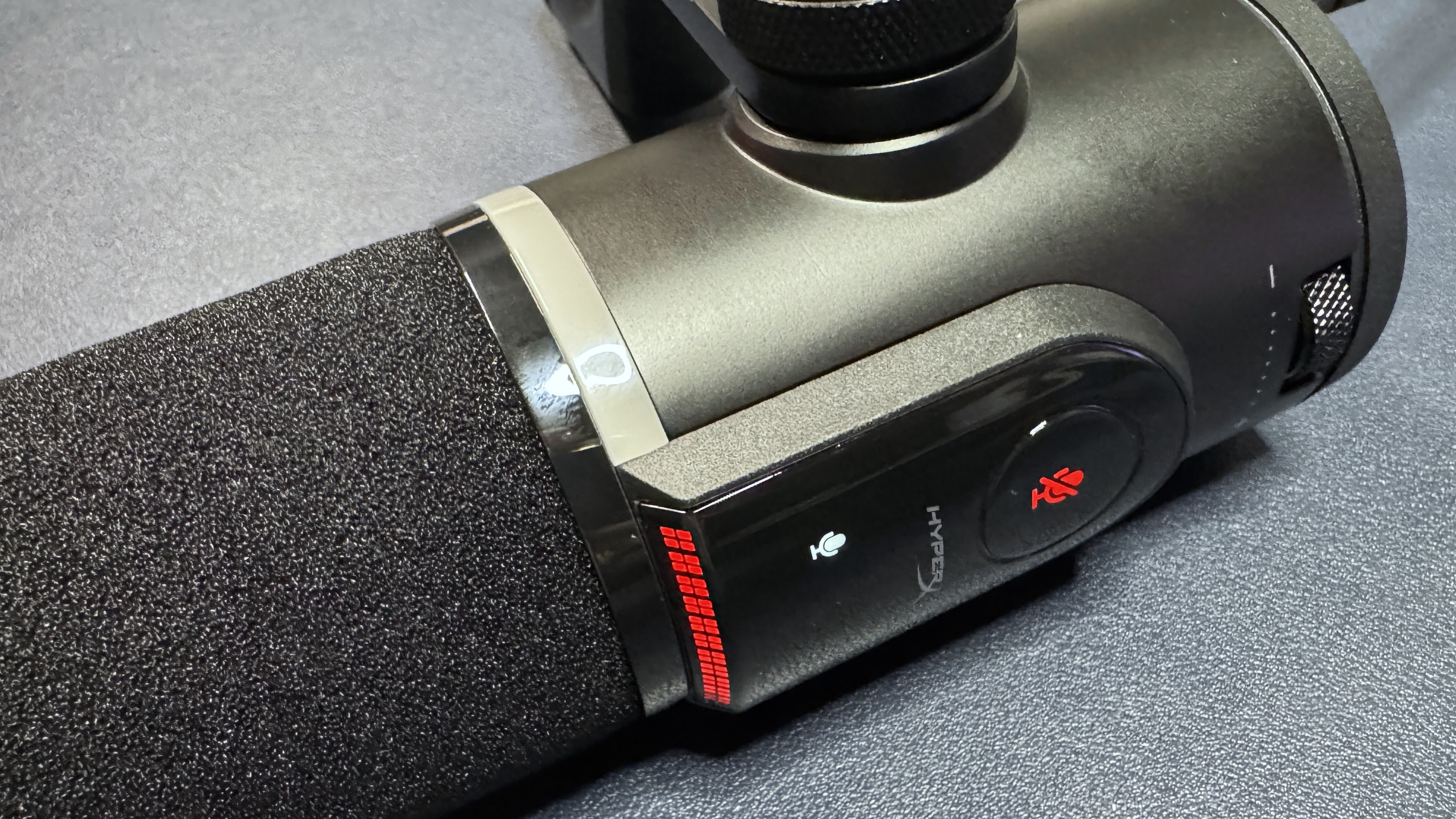
I like the FlipCast's tap-to-mute button (I've long been a fan of HyperX's tap-to-mute functionality), but the placement is a little awkward — it's right on top of the mic, and it's very sensitive, so you can definitely accidentally activate it when you're moving the mic or holding it to adjust settings. It's not that big of a deal, I guess, as you're probably not speaking when you're moving the mic around (or, at least, not speaking to an audience), but still.
Image
1
of
2
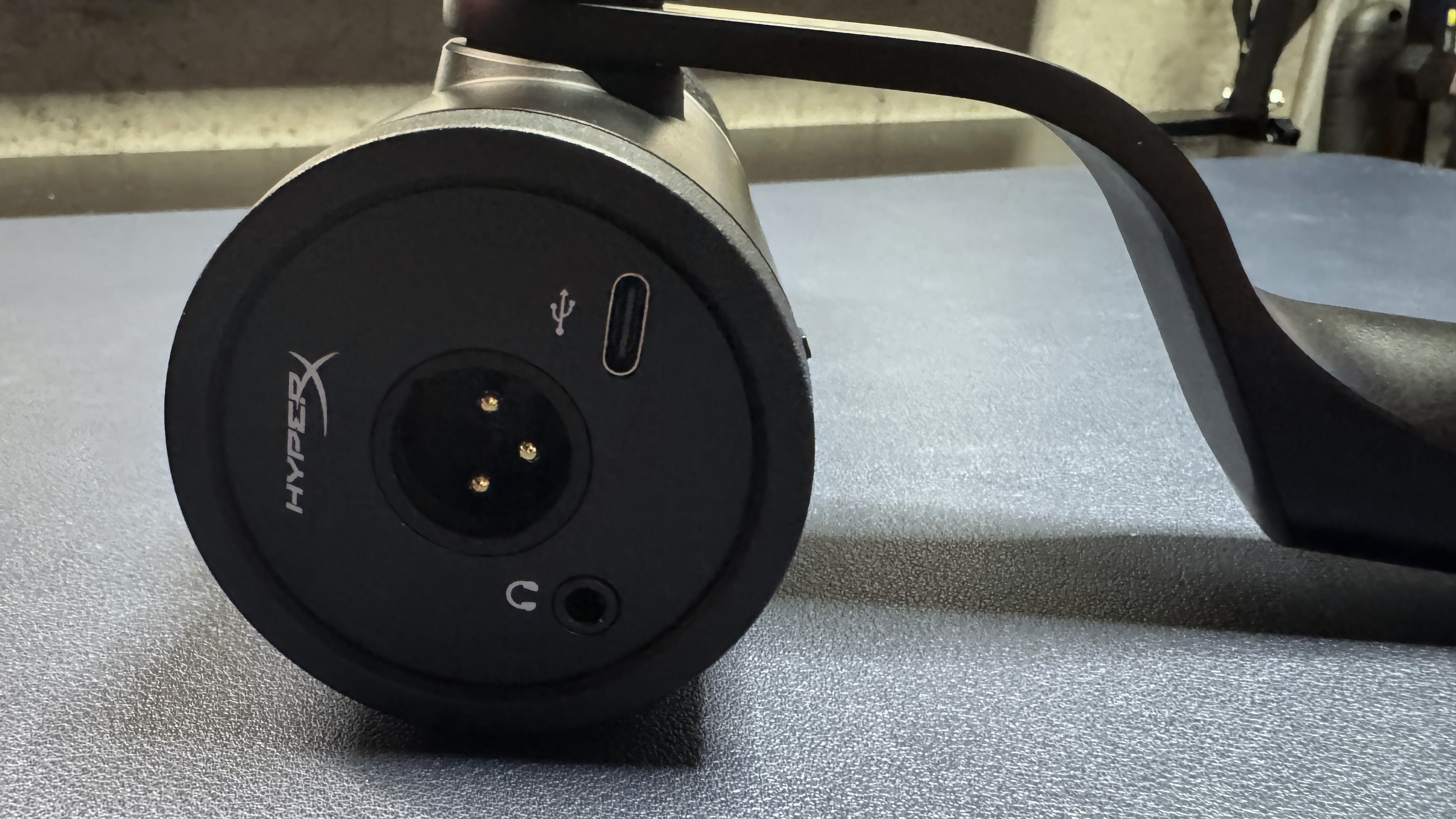
The ports are on the back of the mic — a three-prong XLR port in the center, a USB-C to the lower right of that, and a 3.5mm headphone jack for direct, zero-latency monitoring, to the lower left.
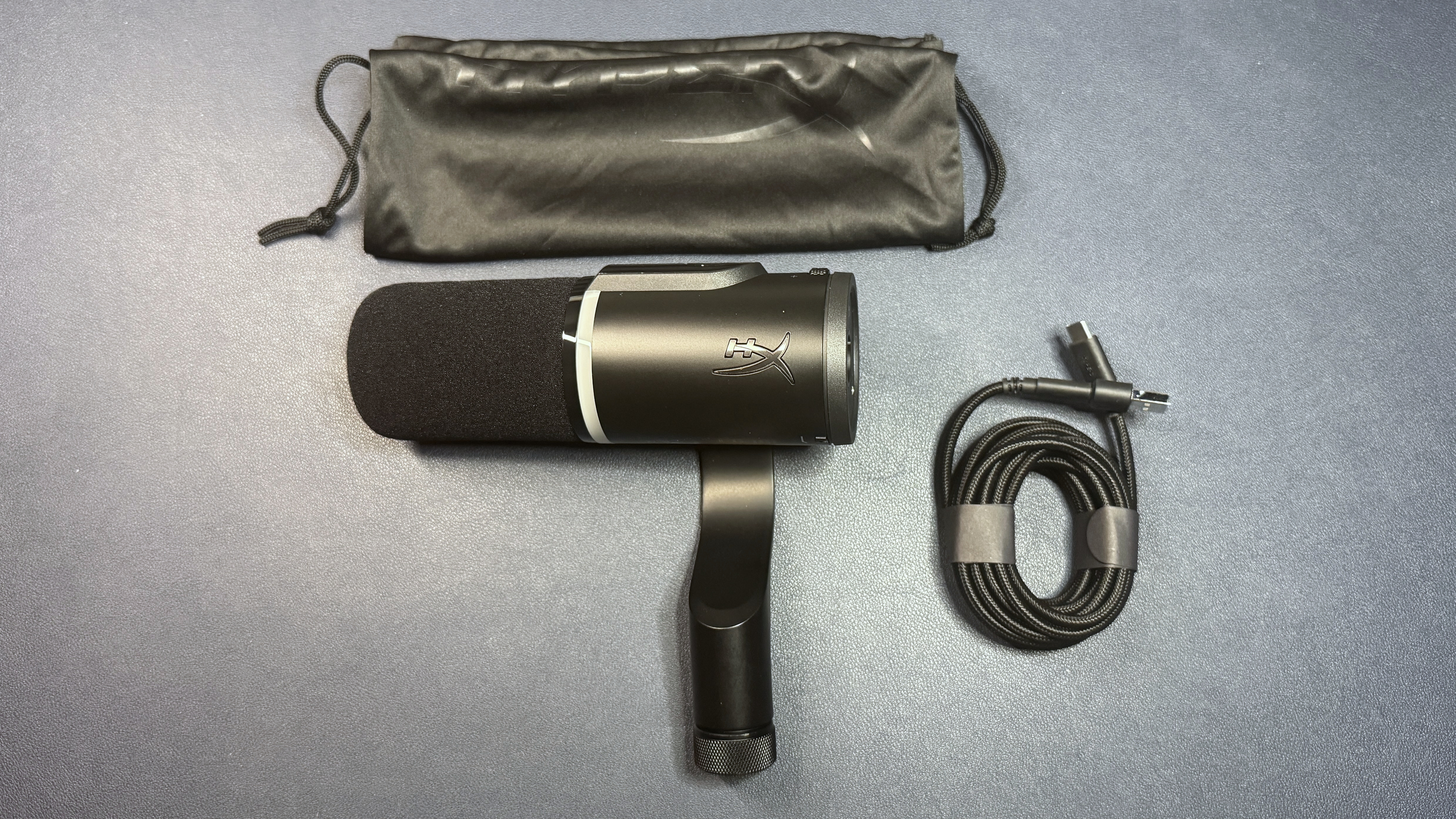
In the box, the FlipCast comes with a couple of accessories. There's the integrated swing arm, which comes pre-mounted, as well as a soft cloth drawstring bag for protection. There's also a 10-foot (3m) braided USB-C to USB-C cable with a USB-C to USB-A converter attached to one end. The extra length is nice, albeit fairly standard — you'll need the extra length when you're threading the cable through the boom arm you'll have to buy. There's no XLR cable, which makes sense, as you need more than just an XLR cable to get an XLR setup working.
Specs
Swipe to scroll horizontally
Capsule Type | Condenser |
Frequency Response | 20 - 20,000 Hz |
Polar Pattern | Cardioid |
Sensitivity | -10 dB |
Resolution and Sample Rate | 32-bit / 192 kHz |
Connectivity | USB-C, XLR |
Adjustable Gain | Yes |
Software | Ngenuity |
Dimensions (L x W) | 6.75 x 2.25 inches / 171.45 x 57.15 mm |
Weight | 1.26lbs / 571.5g |
MSRP / Price at Time of Review | $229.99 |
Release Date | Aug. 2025 |
Performance of the FlipCast
The FlipCast is an end-address dynamic capsule microphone with a cardioid polar pattern and both USB-C and XLR connectivity. It records audio in 32-bit / 192 kHz resolution and has a frequency response of 20 - 20,000 Hz, and it has several on-mic controls for adjusting things on the fly (or, well, without software). It's definitely not the first mic with dual connectivity options — Rode has been putting both USB-C and XLR connectivity into their consumer mics for a couple of years, now.
I suspect most people aren't going to buy the FlipCast because they plan to primarily use the XLR connection, since an XLR-only mic would be much cheaper. So the target audience here seems to be mid-range streamers and podcasters who think they're likely to graduate to an XLR setup in the future. Well, that, or people who want a USB mic for convenience but who also occasionally need to record hi-res audio.
Vocals on the FlipCast sound very good over the USB-C connection, although perhaps not quite as good as I expected to hear over this type of mic. My voice sounded warm, full, and it had that broadcast-level quality you can only get with a standalone mic, but it didn't get the powerful proximity effect I get from the Rode PodMic USB — the proximity effect was there, yes, but it just didn't sound as intimate. Perhaps it was the built-in wind foam — the PodMic USB comes with a removable wind foam cover.
The mic also picked up a lot of plosives when I got too close to it, though it did much better when I put a metal pop screen in front of it. The built-in high-pass filter does a pretty decent job of filtering out low-frequency background noise, but the software-based AI noise reduction is what you really need to keep the sounds at bay. I was impressed with the AI noise reduction — it did a very good job of filtering out background noise, such as fans and traffic, and it even reduced my typing to a manageable volume level, without taking too much away from my voice. While my voice still sounded fuller without the AI noise reduction turned on, the difference was mostly noticeable side-by-side.
I'm a big fan of the FlipCast's on-mic controls. The tap-to-mute button, while a little over-sensitive, is very well-implemented and works perfectly without disrupting the audio even slightly. The multi-function wheel is also very convenient; clicking the wheel switches between functions, of which there are three: mic volume, headphone volume, and mic/headphone monitor mix. The mode is indicated by color (pink for mic volume, yellow for headphone volume, and blue for monitor mix) as well as symbols — the mic symbol lights up for mic volume, the headphone symbol lights up for headphone volume, and both light up for monitor mix, which is actually very intuitive.
Features and Software of the FlipCast
The FlipCast is configurable through HyperX's Ngenuity software, which is officially out of beta. While you don't need Ngenuity to use the microphone, especially as the mic has a built-in high-pass filter and presence boost, the software does let you fine-tune some settings — it includes a parametric mic EQ and a handful of effects, including AI noise reduction, a compressor, and a limiter.
Image
1
of
5
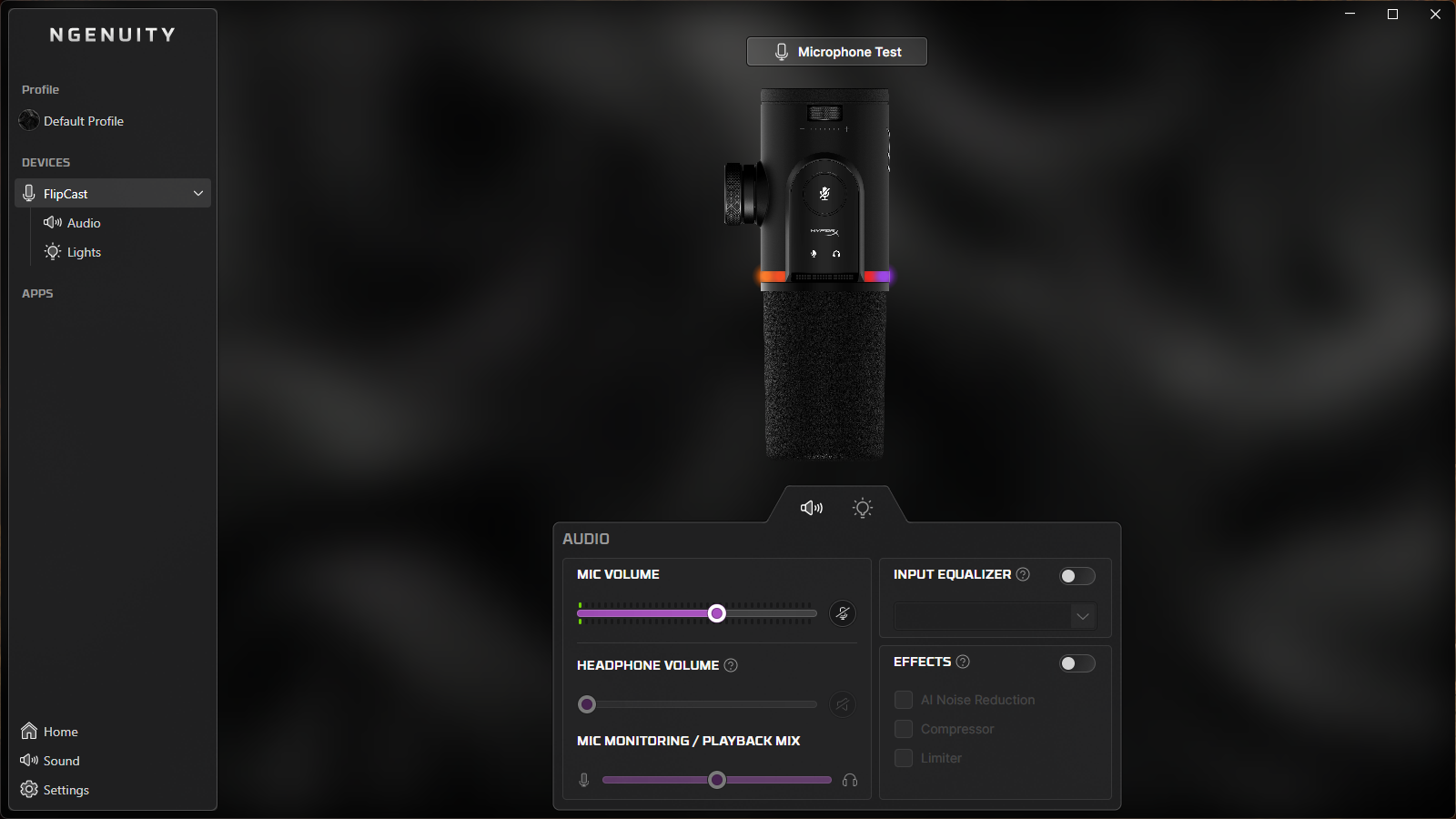
You can also use Ngenuity to change the lighting on the RGB light ring, which is surprisingly customizable. It has 13 individually-customizable light zones, in the event you want to layer different lighting effects. It's not quite as customizable as the lighting in some peripheral apps, such as Razer's Chroma suite, but it's significantly more customizable than it needs to be. You can turn off the lighting here, too — turning off the light ring will not turn off the sound meter or the red mute indicator.
Bottom Line
The FlipCast is a great-sounding microphone that will work in both professional and casual setups, thanks to its dual USB-C and XLR connectivity. It's got a lot of handy on-mic controls, including a built-in level monitor and a built-in high-pass filter, and the tap-to-mute button works flawlessly. This is very different from, say, the Rode PodMic USB, which has dual-connectivity but no on-mic controls, or the HyperX QuadCast 2 S, which has all sorts of controls and lighting but no XLR connectivity.
But at $230, the FlipCast is kind of pricey for what it is — the PodMic USB may not have the on-mic controls, but it sounds better and retails for $30 less (and is currently on sale for even less — $188 at Amazon). And if you don't need the XLR connectivity, the QuadCast 2 S sounds just as good and costs $100 less (and is currently on sale for $107 at Amazon). So the FlipCast — which, by the way, is also currently on sale, for $190 at Amazon — ends up being a somewhat niche product.