Over the past few years, we’ve seen an absolute explosion of activity in the OLED monitor space. What was once a niche panel option available on premium laptops has wonderfully spread to encompass the best gaming monitors for desktop PCs. That makes understanding the inner workings of the panels more important now than ever, especially when it comes to burn-in, the most common source of anxiety for potential customers. Below, we'll outline why this occurs, and this guide will also teach you how you can prevent it.
OLEDs differ from traditional LCDs because each pixel in the panel emits its own light when current passes through it. This design means there is no need for a separate backlight to illuminate each pixel, unlike LCDs. So, to display black, the individual pixels can be turned off, allowing true “inky” blacks, infinite contrast, and vibrant colors unmatched by LCD-based monitors. That means the necessary pixels are turned off when representing the color black.
The different types of OLED monitors
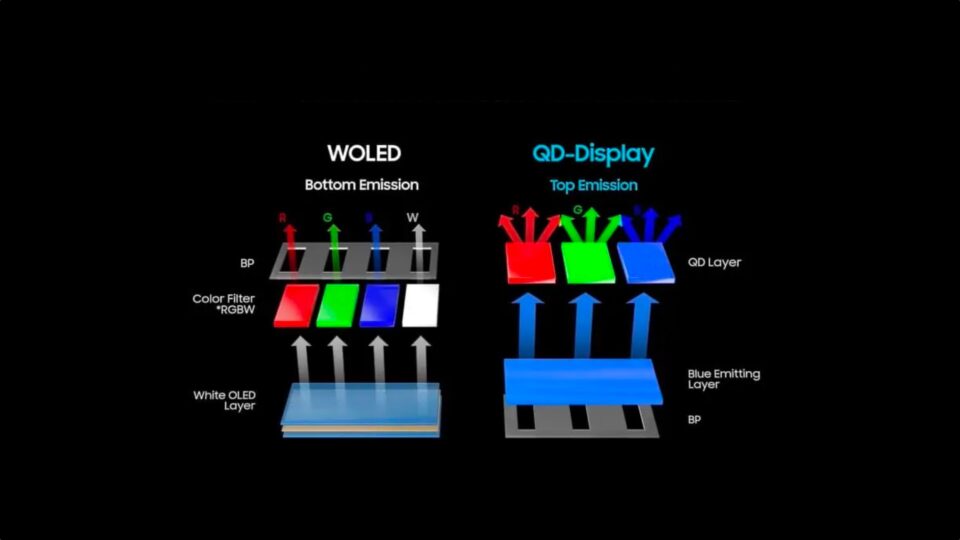
There are several types of OLED monitors, with WOLED and QD-OLED among the most popular. WOLED monitors feature red, green, blue, and white subpixels overlayed on a white OLED layer. The white light passes through the red, green, and blue filters to produce color, while the light passing through the unfiltered white subpixel can be used to enhance overall brightness (and to compensate for the inefficiency of the color filters).
QD-OLED monitors, on the other hand, use a blue-emitting layer instead of WOLED’s white layer. Furthermore, the light passes through a quantum dot layer without the need for color filters, which helps to boost color saturation compared to WOLEDs.
LG has been a big player in this space, supplying WOLED panels not only for its self-branded monitors, but also to third-party customers. The company recently announced at SID Display Week 2026 that it is launching 3rd generation Tandem OLED panel technology. LG’s development in this space has come at a rapid clip, as the company only announced its 2nd generation Tandem OLED technology back at CES 2026.
Tandem OLED is the successor to LG’s WOLED panel technology and offers some key advantages. It uses a four-layer stack (blue, green, blue, red) which passes through a filter. Whereas older WOLED panels use a separate white subpixel, the latest Tandem OLED panels use a Primary RGB layout, negating the need for the white subpixel. In practice, Tandem OLEDs tend to be brighter than their WOLED counterparts while offering improved color volume, putting them on more equal footing with QD-OLEDs.
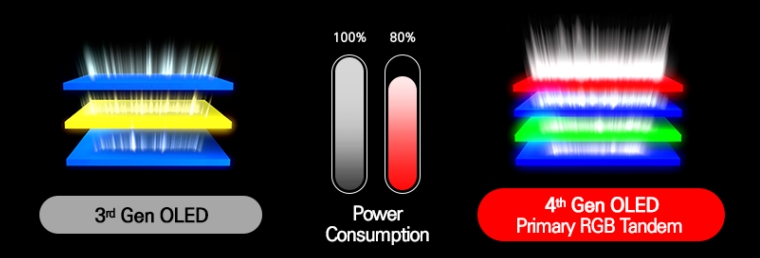
According to LG, its 3rd-generation Tandem OLED panel technology offers peak brightness of 1200 nits and typical brightness of up to 500 nits. Despite these impressive figures (for an OLED), LG claims that it has reduced power consumption by 18 percent, while offering a panel service life of over 15,000 hours. That last figure is a 2x improvement over 2nd-generation panels.
“This advancement is enabled by a newly developed OLED element that optimizes hole and electron movement to minimize degradation while ensuring uniform picture quality, along with the application of a deep blue dopant to further improve color purity, color reproduction, brightness, low power consumption, and longevity,” LG wrote in a press release. “LG Display plans to begin mass production of the automotive panel within this year before later expanding into IT and other applications.”
Of course, these are just manufacturer claims, so we have to temper our expectations until we see the results in the real world. However, if the claims do hold up, the performance of the 3rd-generation panels should go a long way towards alleviating some of the reliability concerns some consumers have about OLED panels.
Should you be concerned about OLED burn-in?
Before we discuss OLED burn-in, we must first explain what exactly makes up an OLED. OLED stands for organic light-emitting diode. It’s the “organic” in the name that can cause issues with extended use. The use of organic compounds makes OLED panels more fragile and susceptible to power input and high sustained brightness levels.
In addition, OLEDs provide their own light source, as they are self-illuminating. Over time, these self-illuminating diodes will lose brightness and will appear dimmer to the naked eye as their luminescence degrades. When these overworked diodes sit next to diodes that haven’t seen such frequent use, what you’re witnessing is “burn-in.”
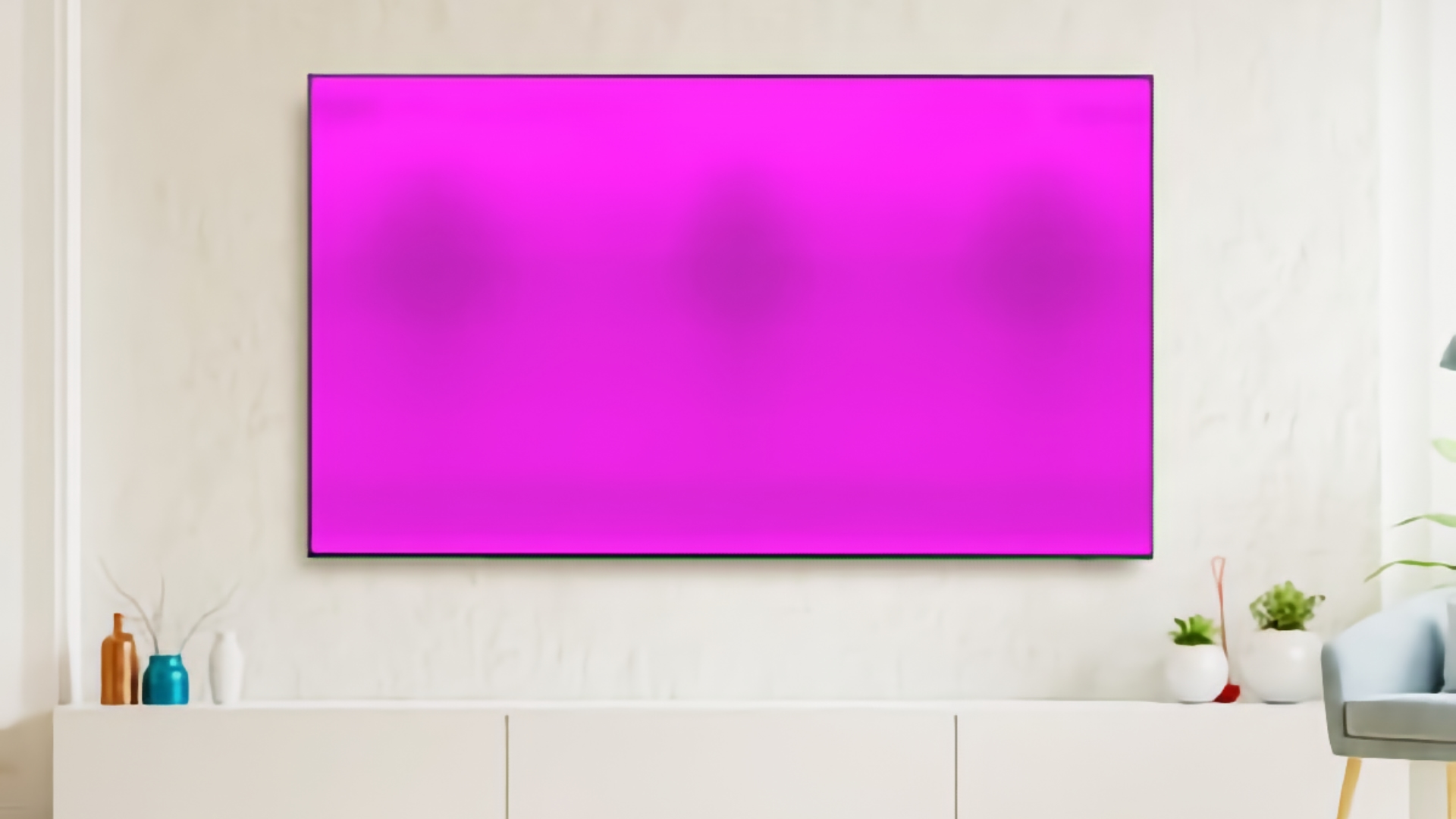
An easy example to explain how this can occur is with 24-7 TV news channels. These channels often have a mostly static banner sitting at the bottom of the screen. Because of the banner's persistence, with little movement of text and logos that can appear within it, the pixels see significantly more “power on” time than the surrounding pixels, where there is more dynamic action. If you leave that static banner in place for weeks or months at a time, you’ll eventually notice burn-in if you switch to a solid-color background.
However, there are some best practices you can implement in your daily workflow to help prevent burn-in in the first place.
OLED monitor care tips
- Set your OLED monitor to turn off or switch to a screensaver for 5 or 10 minutes if you’re not active.
- If you use a background on your computer, consider a dynamic background or a slideshow of images that rotate frequently.
- Rather than have a taskbar that is permanently docked, set it to auto-hide.
- Refrain from prolonged use of maximum brightness settings, as this can accelerate pixel decay.
- When possible, use dark mode in your operating system to limit the amount of power passing through pixels.
- When gaming, avoid using HUDs that are static in nature, as lengthy gaming sessions can accelerate image retention
Those are things you can do on your own that will go a long way towards reducing image retention. However, modern OLED monitors include automated mechanisms to help prevent and minimize image retention. For example, I personally use a Philips Evnia 8000 49-inch 240 Hz DQHD QD-OLED monitor for work and gaming. It offers a couple of tools for managing burn-in, including:
- Pixel orbiting/shifting: moves the image a couple of pixels left or right at regular intervals to prevent burn-in from static elements.
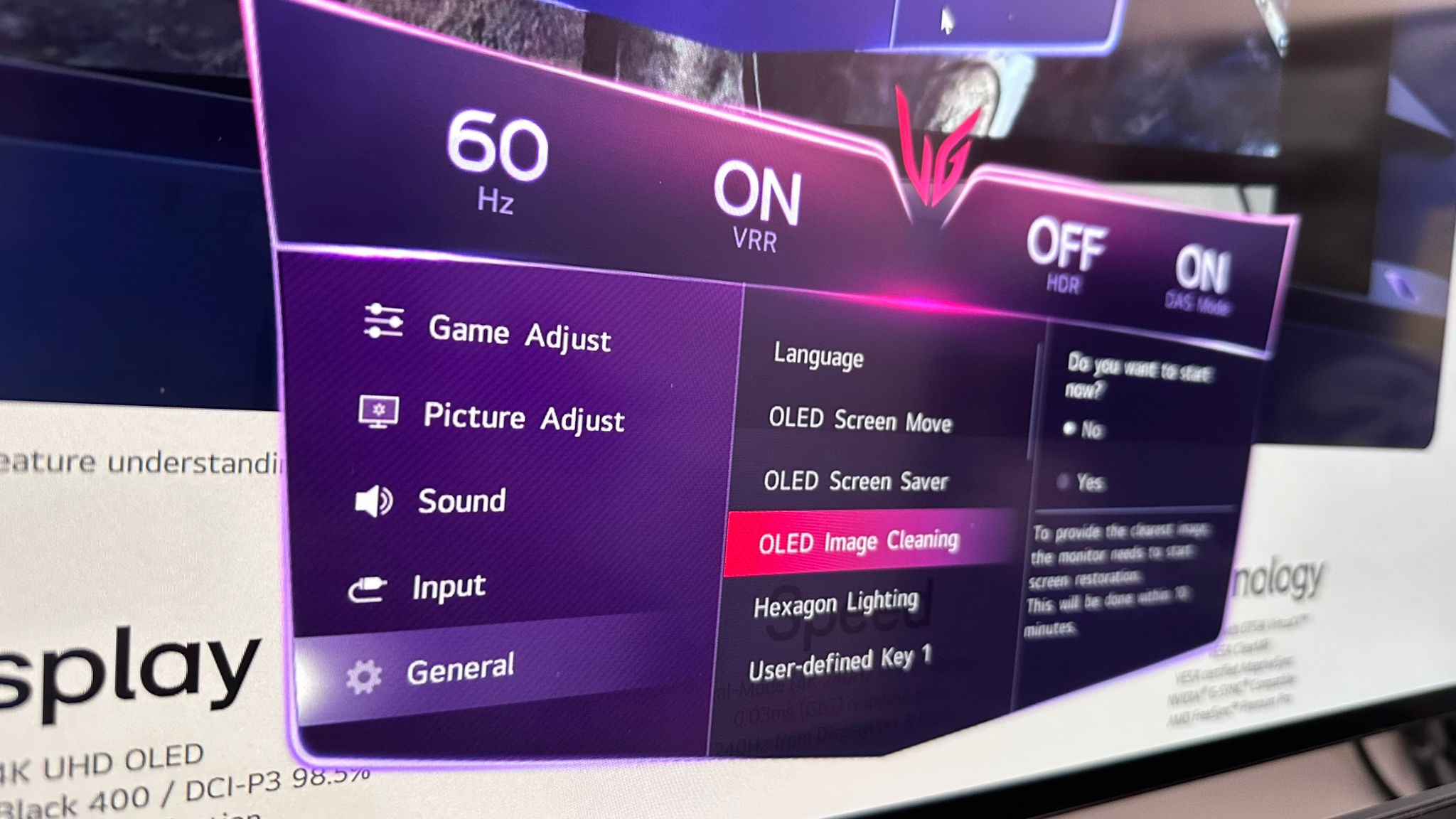
- Pixel refresh: this feature runs automatically after roughly 4 hours of screen on time, and it measures and adjusts voltage levels for individual pixels in the OLED screen. The feature runs for about 4 minutes.
Each OLED monitor manufacturer has their own specific tools for dealing with the same issues. For example, Asus offers Pixel Shift technology, controls for adjusting logo brightness, manual Pixel Cleaning, and automatic cleaning in standby mode.
I’ve owned my Evnia 8000 for roughly 18 months, and over that time have accumulated 1,800 hours of on-time according to the monitor’s OSD. I ran the XbitLabs Screen Burn-in Test and didn’t notice any issues, which was a relief.
Should you take the OLED plunge?
The two biggest knocks against OLED monitors are continually being addressed. There’s the issue of panel longevity, particularly with burn-in/image retention. However, sticking to common best practices when using OLEDs and enabling automatic panel refresh routines and mitigation strategies offered will go a long way toward ensuring that you get years of useful life out of your monitor. Manufacturers are also stepping up the quality of the components they’re using and reducing power consumption to help extend the life of OLED panels.
Another concern people have is cost. It’s true that OLEDs carry a premium over traditional IPS and VA panel technology. However, that premium is shrinking as production volume increases. We can’t be certain that OLED monitors will eventually reach price parity with their LCD counterparts, but the difference will likely shrink to the point where many customers will gladly fork over the extra money for a superior viewing experience (and given the popularity of OLED panels, many people are already making that jump).
With OLEDs having crossed over into nearly every facet of computing life, from smartphones to tablets, to laptops, to the best OLED gaming monitors, to productivity monitors, to portable monitors, I can say with confidence that it’s time to stop being leery of the technology and jump in with both feet.