It's been over a decade since I last bought a discrete internal sound card for my PC — and the only reason I purchased one back then was because I had a set of 5.1 surround sound PC speakers (Logitech Z906) that I wanted to use with a motherboard that only had built-in support for a stereo system. (While there were probably several ways this could have been handled, I opted for the sound card because my speakers were already set up and I didn't spend all that time running wires around my home office for nothing.)
Even back then, discrete sound cards already seemed like they were on their way out, as onboard audio, while not wildly impressive, was already at the point where it was decent enough that many users who were just looking for occasional audio playback from their system were... fine with it. And as onboard audio has continued to improve, and headsets and speakers with built-in audio interfaces, as well as external DACs, have become more popular (and more affordable, at least somewhat), sound cards have become more of a fringe add-on than an absolute necessity. That doesn't mean there's absolutely no market for a discrete internal PCIe sound card such as the Creative Sound Blaster Audigy FX Pro, of course. There is a market, but it's definitely small enough that I think we can call it a niche these days.
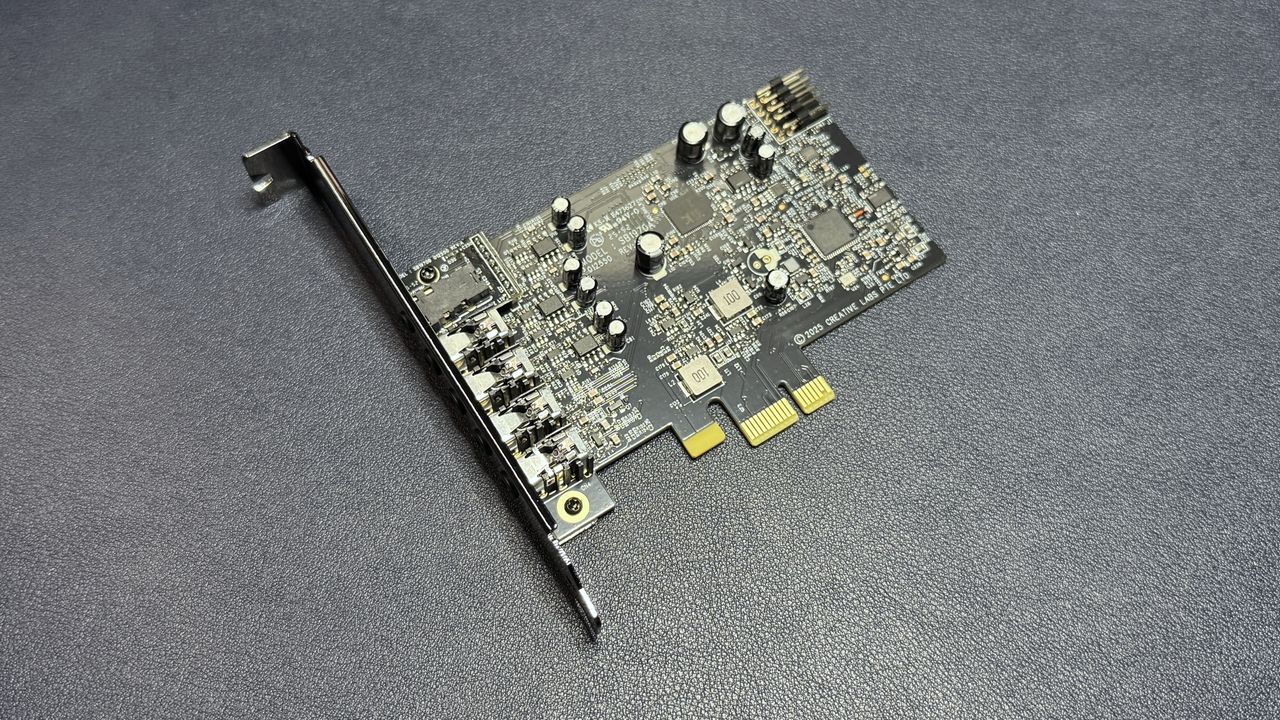
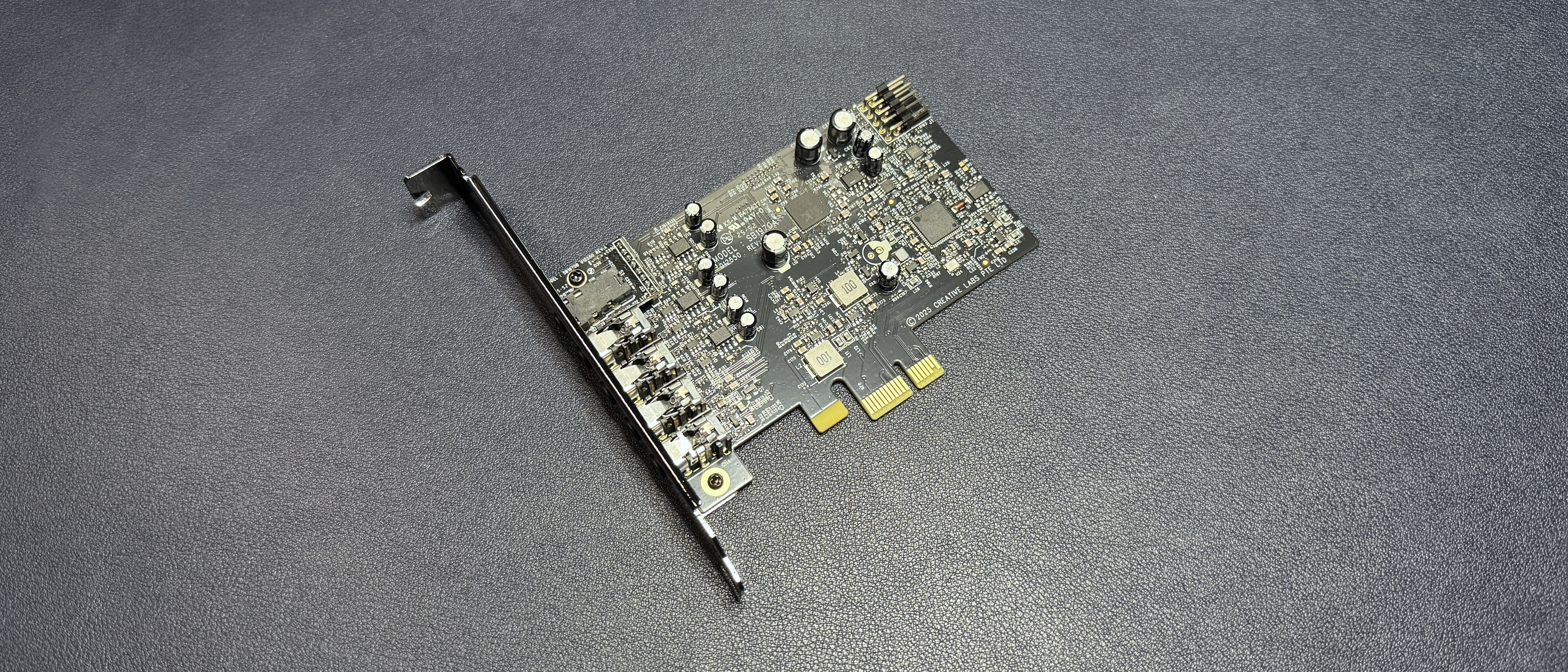
The Creative Sound Blaster Audigy FX Pro is a discrete internal sound card that supports high-resolution playback (up to 32-bit / 384 kHz) and 7.1 surround sound out of the box. It also features a built-in headphone amp with an output impedance of 4.7 ohms, and has a 120 dB SNR (signal-to-noise ratio) for a clean, clear signal. It's a compact add-in card that the company believes the people need, as "audio remains one of the most overlooked upgrades" (I suppose that's not wrong). And it's priced at $79.99, which is fairly affordable — at the very least, it's less than half the price of many of our favorite gaming headsets, so maybe this is the audio upgrade you're looking for.
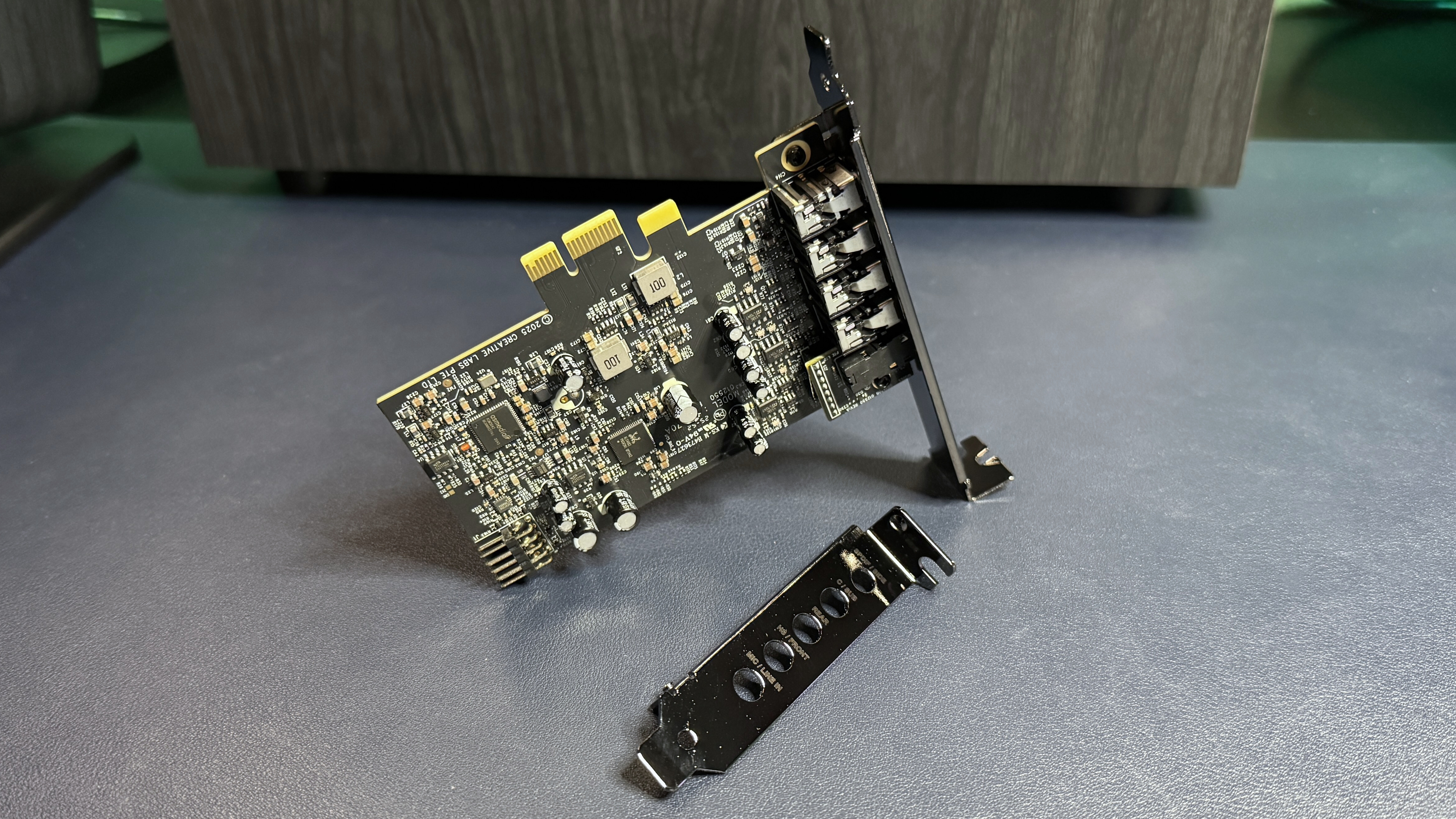
The Sound Blaster Audigy FX Pro comes neatly packaged in an anti-static bag inside a small, eco-friendly cardboard box. In the box you'll also find a shorter half-height bracket (3.15 x 0.85" / 80 x 21.6mm) for smaller systems — the card comes with a full-height bracket (4.62 x 0.85" / 117.3 x 21.6mm) already mounted (via two screws, at the top and bottom) — and a quick start guide.
From top to bottom, you'll find five ports: SPDIF out/Side, Center/Sub, Rear, Headset/Front, and Mic/Line In. These are all 3.5mm analog jacks, except the first one, which is a combination Mini-TOSLINK/3.5mm jack. The ports are plastic and fit moderately well within the brackets. Plastic ports are unsurprising given the $80 price point of the card; the cheapest Creative card with metal ports is its Sound Blaster Z SE (which costs just over $100).
The card has a PCIe x1 connector, so it can slot into any free PCIe x1 - x16 slot on your motherboard. It also has an HD audio front panel connector on the underside, for hooking up to your PC's front panel headphone/mic jacks. Installing the card is quick and easy, and it's pretty small, so it shouldn't be too difficult to find space for it in your build. The card measures 4.76 x 4.62 x 0.85 inches (121 x 117.3 x 21.6mm) and weighs 2.12 ounces (60g) with the full-height bracket installed, and measures 4.76 x 3.15 x 0.85 inches (121 x 80 x 21.6mm) and weighs 0.46 ounces (13g) with the half-height bracket installed.
Specs
Swipe to scroll horizontally
Recording Resolution | PCM 32-bit / 192 kHz |
Playback Resolution | PCM 32-bit / 384 kHz |
I/O | 1 x ⅛“ Mic in/Line in, 1 x ⅛“ Headset/Headphone out/Front(L/R) out, 1 x ⅛“ Center/Sub out, 1 x ⅛“ Rear(L/R) out, 1 x ⅛“ Side(L/R) out/SPDIF out combo, 1 x HD Audio Front Panel Connector |
Headphone Amp | 4.7 ohm |
Software | Creative Nexus |
Supported OS | Windows 10 / 11 64-bit |
Interface | PCIe x1 |
Signal-to-Noise Ratio | 120dB |
Size | 4.76 x 4.62 x 0.85 inches / 121 x 117.3 x 21.6mm |
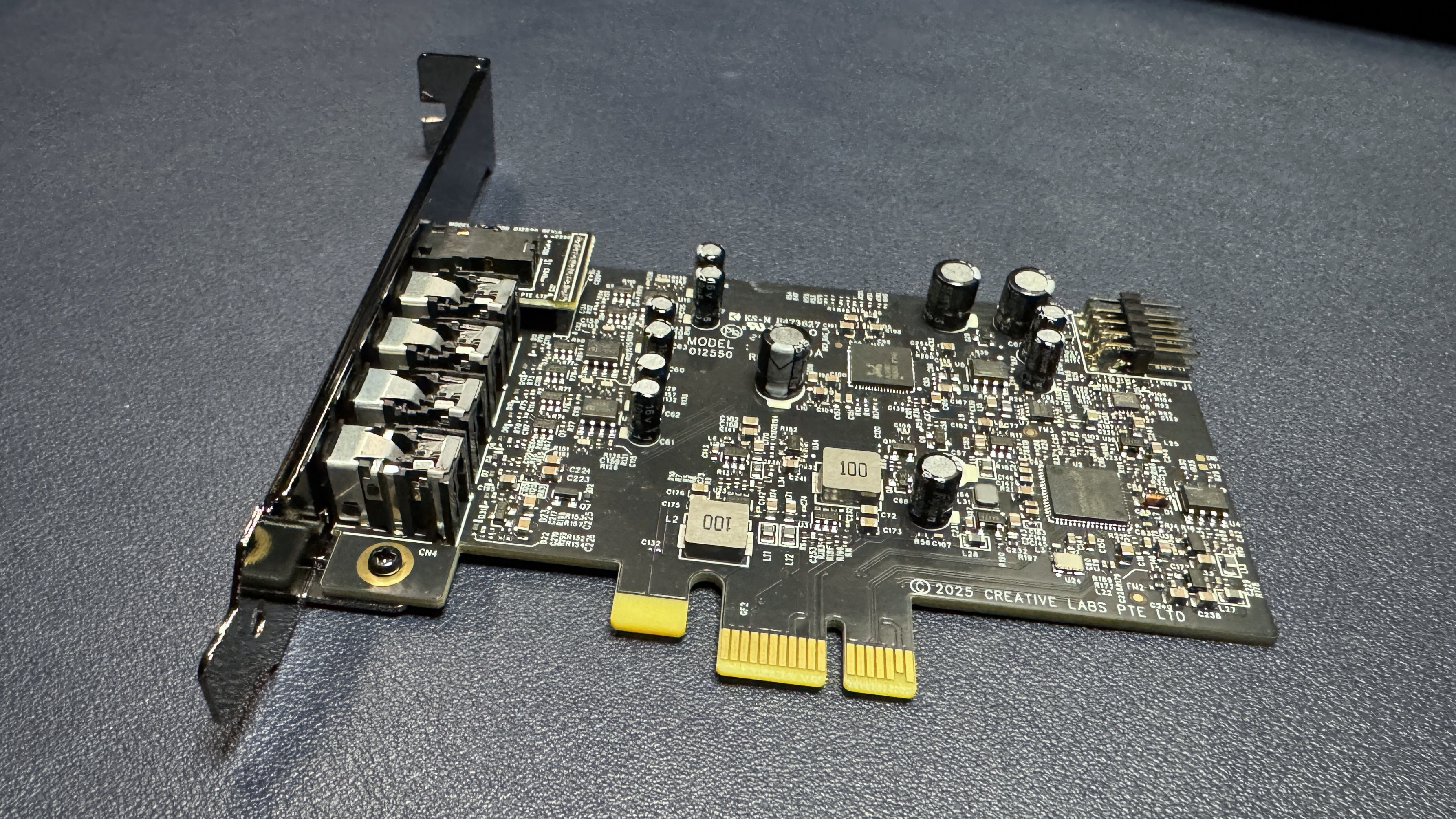
Creative positions the Sound Blaster Audigy FX Pro as a "clear upgrade over standard onboard audio," but standard onboard audio isn't bad these days. In fact, it's pretty good, especially if you've got a mid-range or higher motherboard. My current motherboard, the MSI MPG Z690 Carbon WiFi, is a few years old (released in late 2021), but it features isolated audio and uses the Realtek ALC4080 codec. The Realtek ALC4080 is very similar to the Realtek ALC4082, which is what the Audigy FX Pro implements — both codecs offer 32-bit / 384 kHz playback and 120dB SNR, and the only real difference between them is that the ALC4082 natively supports the Direct Stream Digital (DSD) audio format, which is a high-resolution format that works differently from the more common pulse-code modulation (PCM) format. Both the ALC4080 and the ALC4082 are often found as onboard audio solutions for high-end motherboards, though, so at least in the codec sense, the Audigy FX Pro isn't going to give you a drastically different experience.
However, it's not just the codec that matters when it comes to PC sound. One of the biggest issues is how audio is implemented on the motherboard — even when the audio components are isolated on the PCB, like they are on my motherboard, onboard audio can still suffer from a noisy signal thanks to electromagnetic interference from other components (such as GPUs), cable issues, ground loops, etc. Of course, you can still get this interference with a discrete sound card, too, but putting the audio components on a separate card does generally allow for a cleaner, clearer overall signal and a better SNR.
Case in point, despite my motherboard's onboard audio being driven by almost the exact same chip, the difference between the audio from my motherboard and the Audigy FX Pro was immediately noticeable over every analog connection. The sound from the Audigy FX Pro was significantly cleaner, and that's not to say the audio from my motherboard is a mess, because it's not. But there's no question that the signal is clearer — I suppose I'd just gotten used to the relatively mild noise from my onboard audio (or, more likely, I don't end up using the onboard sound very often as I'm always testing headsets and speakers with built-in DACs).
Of course, the question is whether the Audigy FX Pro's signal was so much cleaner and clearer than my PC's onboard audio that it warrants the upgrade, and my answer to that is... probably not. It was noticeable, but it was only noticeable by comparison — I didn't have any real issues with the onboard audio prior to testing the sound card, and I still don't have any real issues. And while the Audigy FX Pro's audio signal is very clean, it's not perfect — I went ahead and plugged in a USB DAC/amp (the AudioQuest DragonFly Cobalt), and that signal was cleaner and clearer than the Audigy FX Pro's. So it's hard to say where the Audigy FX Pro ends up falling — it's definitely in between onboard audio and audiophile-grade equipment, but I suspect onboard audio is still fine for most users.
The Sound Blaster Audigy FX Pro is the first product to work with the company's new Creative Nexus app, which is an audio controller featuring a 10-band EQ with a searchable database of game-specific presets, as well as Creative's Acoustic Engine software enhancements. These include surround (virtual surround and upmixing), crystalizer (enhanced dynamic range of compressed audio), bass (bass boost for those with and without subwoofers), smart volume (consistent volume across media, with loud and night modes), and dialog plus (amplifies and cleans up vocal frequencies).
Image
1
of
3
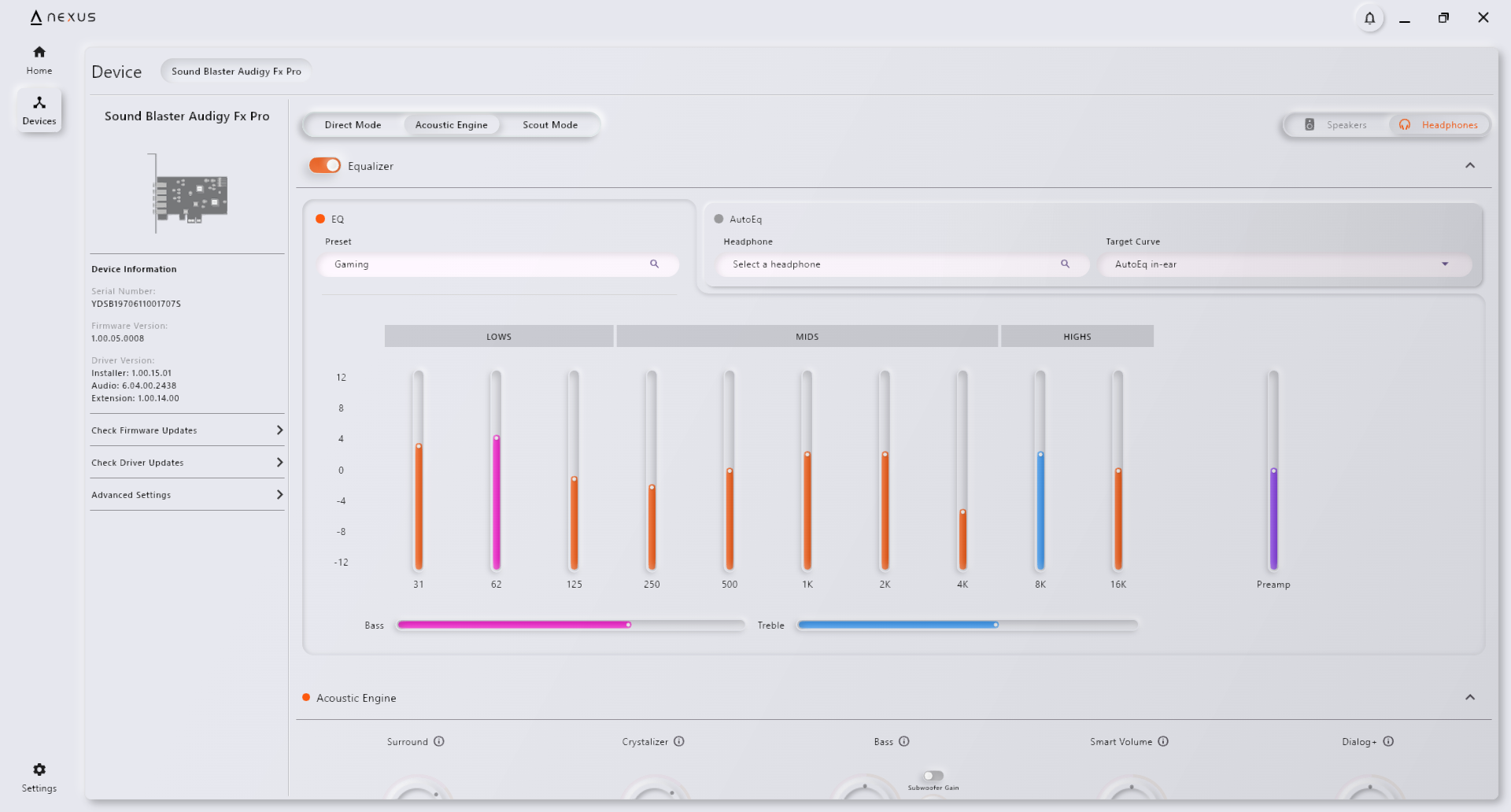
The 10-band EQ also includes bass and treble boosts and gain (preamp) control. If you click the preset dropdown menu, you'll see the top four most common presets — gaming, music, movies, and footsteps enhancer- and you can scroll or search to find more presets for music, movie, and game genres, as well as for specific games such as Apex Legends, Counter-Strike 2, Baldur's Gate 3, League of Legends, etc. There are around 70 presets total, and you can modify any preset and hit the save button to create your own.
The Audigy FX Pro does not have Creative's Super X-Fi (SXFI) technology, which is the company's gamer-oriented spatial audio tech that uses head/ear-mapping to create more realistic virtual surround sound (it also received an AI-enhanced update a couple of years ago). However, the virtual surround from Creative's Acoustic Engine did an excellent job of widening and repositioning the soundstage in the headsets and headphones I tested (through both the front and back ports). The other Acoustic Engine features also offered well-tuned enhancements that didn't sound too over-processed. The crystalizer did a nice job of separating out details and layers of environmental sound in games such as Uncharted 4 and God of War: Ragnarok, while the dialog plus feature was able to boost voices in games and movies without making them sound shrill or out of place.
The app also lets you update the card's firmware and drivers (it did require a firmware update right out of the box, which wasn't too painful aside from needing a restart).
The Bottom Line
The real question is whether you need a dedicated, discrete sound card in 2026. And I'm talking about the literal you — would your setup actually benefit from a sound card? If you're looking for a way to bring your 7.1 discrete surround gaming dreams to life, then yes, you almost certainly need a sound card. But I don't think that's a huge chunk of the market, given that it's pretty difficult to find 7.1 speaker systems (especially if you're looking for the best PC speakers).
If you're just looking for a way to improve your system's overall audio output, the good news is that the Creative Audigy FX Pro will probably give you a cleaner, clearer signal than your onboard audio chip — even if you have a very high-end, gamer-oriented motherboard with isolated audio. But whether it will sound that much better is where it gets debatable. If you're already rocking a high-end motherboard and you want to put your money toward a big audio improvement, you might be better off picking up one of the best gaming headsets (or best wireless gaming headsets), as these bypass your PC's audio altogether unless they're connected via analog (i.e. plugged into the 3.5mm headset jack).
Likewise, the gaming-oriented speakers on our list of best PC speakers have their own built-in audio interfaces and won't use your PC's onboard audio (or a discrete sound card, if you have one). But if you have a more budget-friendly motherboard and/or you're looking for 7.1 (or 5.1) surround support, the Audigy FX Pro is a quick, easy, and relatively affordable installation that will let you connect your speakers to your PC and offer a noticeable bump in audio performance.