Agentic autofix for code scanning alerts general availability
Quick Answer
GitHub has launched Agentic autofix for code scanning alerts, enabling automated remediation across codebases for GitHub Code Security and Advanced Security customers.
Quick Take
This feature explores relevant files, proposes fixes, and validates them using CodeQL before submitting a draft pull request for review.
Key Points
- Agentic autofix is available for GitHub Enterprise Cloud customers with security features.
- It automates the remediation process by exploring files and validating fixes.
- Users can assign up to 25 alerts to Copilot for simultaneous fixes.
- Access requires enabling the new policy by an enterprise administrator.
- AI Credits from the Code Security budget are consumed for using this feature.
📖 Reader Mode
~2 min readAgentic autofix for code scanning alerts is now generally available. It remediates alerts by working across your codebase the way a developer would: it explores relevant files, proposes a fix, and reruns CodeQL to confirm the fix closes the alert before opening a pull request for your review. Agentic autofix is available to GitHub Code Security and GitHub Advanced Security customers on GitHub Enterprise Cloud, including GitHub Enterprise Cloud with data residency.
How it works
When you assign a code scanning alert to Copilot, it:
- Explores relevant files across your codebase.
- Generates a proposed fix.
- Validates the fix works by rerunning CodeQL.
- Iterates if needed, then opens a draft pull request ready for your review.
The pull request includes a summary of the fix, why it closes the alert, and the validation steps Copilot took to confirm that it works. When the pull request containing the fix is ready, you can instruct Copilot to make further changes to it by commenting on the pull request or interacting with the session in the Agents tab of your repository.
How to use it
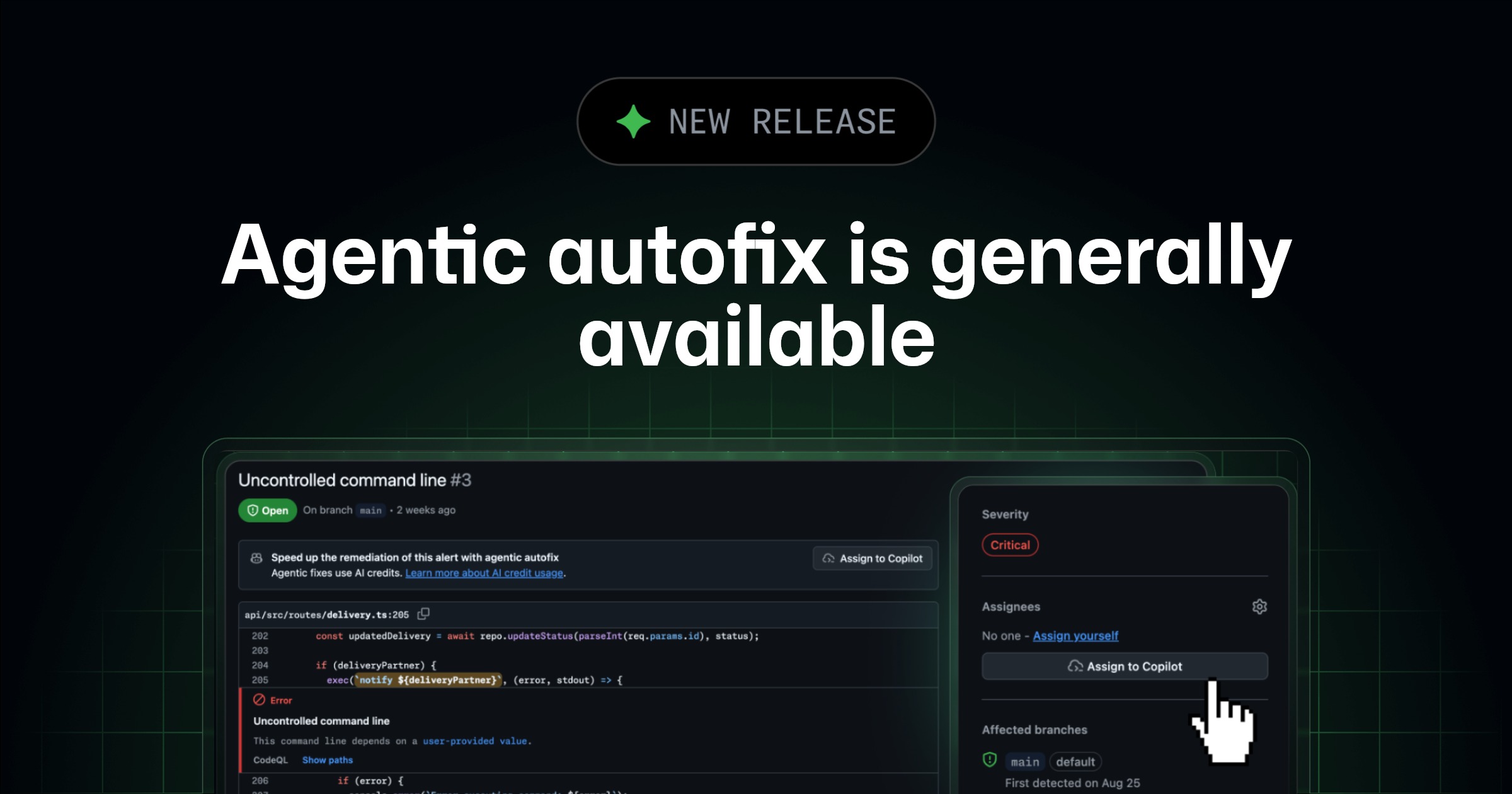
When enabled, agentic autofix replaces the free Generate Fix option on individual code scanning alerts with an Assign to Copilot button.
You can use agentic autofix:
- From any code scanning alert on the repository’s default branch, by assigning the alert to Copilot.
- In the list of security alerts in your repository or security campaign, by selecting up to 25 alerts for Copilot to fix together in a single pull request.
- Via the Update a Code Scanning Alert REST API by setting
assigneesto["copilot-swe-agent[bot]"].
Agentic autofix supports code scanning alerts on the repository’s default branch. Alerts detected only on pull requests or other branches cannot be assigned to Copilot.
Access
Agentic autofix requires an enterprise administrator to enable access to it via the new “Agentic autofix” policy in Advanced Security policies.
Once the policy is enabled by an enterprise administrator, an organization or repository administrator can turn on agentic autofix in the Code Security settings for the organization or the repository.
Access also requires a Copilot billing method to be defined.
Billing
Agentic autofix for code scanning alerts consumes AI Credits from your Code Security budget and GitHub Actions minutes. AI Credit usage will be displayed in the “AI usage” section of enterprise billing and licensing as the “Advanced Security” product. You can also set SKU level budgets for Code Security AI credits. Learn more about Copilot usage-based billing.
Learn more
Learn more about agentic autofix in the documentation.
Join the discussion within the GitHub Community.
— Originally published at github.blog
Want this in your inbox every morning?
Daily brief at your local 8am — bilingual EN/中文, free.
More from GitHub Copilot Changelog
See more →
GitHub Copilot for JetBrains adds improved OpenTelemetry configuration and model management
The latest GitHub Copilot for JetBrains update enhances workflow control with OpenTelemetry configuration, improved model management, and support for servers in Claude agent flows, facilitating better observability and cost control for enterprise users.